
Introduction
Computer Vision is one of the most important technologies helping artificial intelligence understand the visual world.
People can look at a photograph and quickly recognize a person, a car, an animal, or a building. Computers do not naturally understand images in the same way. They need technology that can analyze visual information and identify useful patterns.
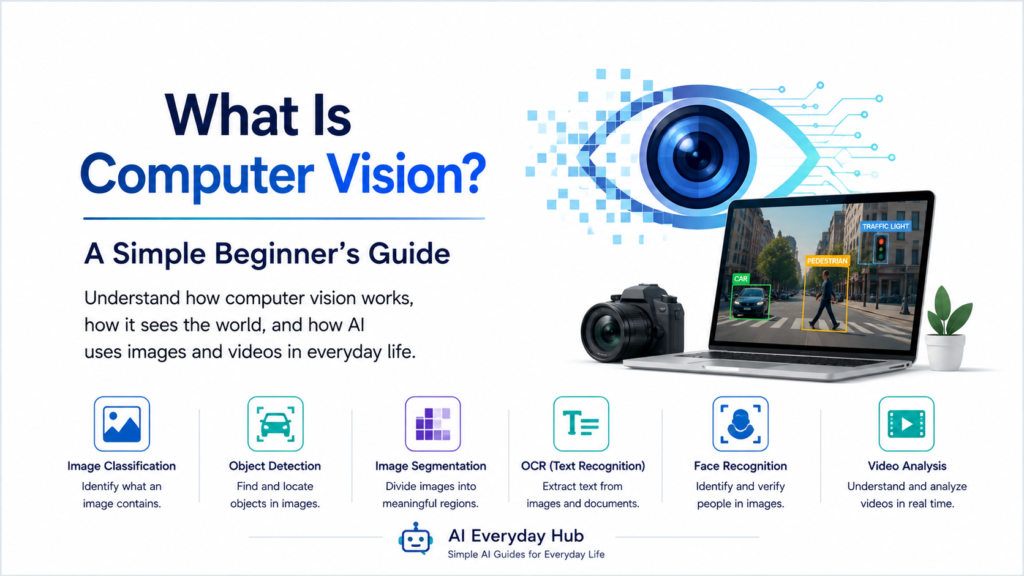
In simple terms, Computer Vision is a field of artificial intelligence that helps computers analyze and interpret images and videos.
It is already used in many technologies people encounter every day, from smartphone cameras and photo apps to medical imaging, security systems, and vehicles.
In this beginner-friendly guide, you will learn what Computer Vision is, how it works, where it is used, and why it has become an important part of modern AI.
If you are completely new to artificial intelligence, start with our guide: What Is AI? A Simple Guide for Beginners
What Is Computer Vision?
Computer Vision is an area of artificial intelligence focused on helping computers process and analyze visual information.
That information may come from:
- Photographs
- Videos
- Cameras
- Scanned documents
- Medical images
- Satellite images
A Computer Vision system can be designed to perform different tasks depending on its purpose.
For example, it may try to determine whether an image contains a dog, identify where an object appears in a photograph, or recognize text printed on a sign.
The goal is not to give a computer human eyesight. Instead, the goal is to use computational methods to extract useful information from visual data.
How Does Computer Vision Work?
Digital images are made up of pixels that contain numerical information.
A computer does not initially see a photograph as a person sees it. It receives numerical data representing colors, brightness, positions, and other visual information.
Computer Vision systems process this information to identify useful patterns.
A simplified process can be understood in four steps.
1. Receiving an Image
First, the system receives visual information.
This might be:
- A photograph from a smartphone
- A frame from a video
- An image from a security camera
- A scanned document
The image becomes data that the computer can process.
2. Analyzing Visual Features
Next, the system analyzes patterns within the image.
Depending on the technology being used, useful features might include:
- Edges
- Shapes
- Colors
- Textures
- Objects
- Spatial relationships
Modern systems often use deep learning to learn complex visual patterns directly from training data.
To understand the technology behind many modern vision systems, read: What Is Deep Learning? A Simple Beginner’s Guide
3. Identifying Patterns
The system compares the patterns it has learned with the information in the new image.
For example, a model trained to recognize cats may learn visual patterns that are useful for distinguishing cats from other objects.
4. Producing a Result
Finally, the system produces an output.
Depending on the task, the result might be:
- “This image contains a cat.”
- “A person appears in this part of the image.”
- “This sign contains these words.”
- “These two images appear similar.”
Different Computer Vision systems are designed for different types of visual tasks.
Computer Vision and Machine Learning
Computer Vision and machine learning are related, but they are not the same thing.
Computer Vision describes the field concerned with processing and understanding visual information.
Machine learning provides methods that can be used to build many modern Computer Vision systems.
Earlier vision systems often relied heavily on manually designed rules and features. Today, machine learning and deep learning allow systems to learn many useful visual patterns from data.
If you want to understand the relationship between AI and machine learning, read: AI vs. Machine Learning: What’s the Difference?
Computer Vision and Neural Networks
Neural networks have played an important role in the development of modern Computer Vision.
Deep neural networks can learn increasingly complex patterns from images during training.
In a simplified example, earlier layers of a neural network may become useful for detecting basic visual patterns such as edges or textures. Later layers can combine those patterns into more complex representations.
This allows neural networks to perform sophisticated visual tasks without requiring a programmer to manually describe every possible feature.
For a beginner-friendly explanation of this technology, read: What Is a Neural Network? A Simple Beginner’s Guide
Common Computer Vision Tasks
Computer Vision includes several different types of tasks.
Understanding a few of them makes the field easier to understand.
Image Classification
Image classification identifies the general category of an image.
For example, a system might classify a photograph as:
- Cat
- Dog
- Car
- Flower
The system provides a category for the image.
Object Detection
Object detection goes further.
Instead of simply identifying what an image contains, the system also attempts to locate objects within the image.
For example, a traffic image might contain:
- Three cars
- Two pedestrians
- One bicycle
An object-detection system can identify these objects and estimate where they appear.
Image Segmentation
Image segmentation divides an image into meaningful regions.
For example, a system might distinguish:
- Road
- Sidewalk
- Vehicles
- Buildings
- People
This can be useful when a system needs more detailed information about a scene.
Optical Character Recognition
Optical Character Recognition, commonly called OCR, allows computers to identify text within images or scanned documents.
OCR can be used to convert printed or handwritten information into digital text that software can process.
Everyday Examples of Computer Vision
Computer Vision is already used in many familiar technologies.
Smartphone Cameras
Modern smartphone cameras use AI-powered image processing for features such as:
- Improving photographs
- Detecting faces
- Adjusting focus
- Organizing images
Some of these features rely on Computer Vision techniques.
Photo Organization
Photo applications can analyze images and help organize them based on people, objects, places, or other visual characteristics.
This can make it easier to search large photo collections.
QR Codes and Document Scanning
Smartphones can recognize QR codes through their cameras.
Document-scanning applications can also identify document boundaries, improve image quality, and help convert printed information into digital form.
Security Systems
Some security systems use Computer Vision to detect movement, recognize objects, or identify unusual activity.
The exact capabilities depend on the system and how it was designed.
Shopping and Visual Search
Visual search technology can allow users to search using an image instead of typing a description.
For example, a person might photograph an object and use a visual search tool to find similar products or information.
Computer Vision in Healthcare
Computer Vision can also assist with medical imaging.
AI systems may be designed to analyze images such as:
- X-rays
- CT scans
- MRI scans
- Other medical images
These systems can help trained professionals identify patterns in visual data.
However, AI should not be treated as a replacement for qualified medical professionals. Medical decisions require appropriate professional evaluation and oversight.
Computer Vision and Transportation
Computer Vision is an important technology in modern transportation systems.
Cameras and AI systems can help identify:
- Vehicles
- Pedestrians
- Traffic signs
- Road markings
- Obstacles
Advanced driver-assistance systems may use visual information together with other sensors to understand conditions around a vehicle.
These applications demonstrate why accurate visual analysis can be important in real-world AI systems.
Computer Vision and Generative AI
Computer Vision traditionally focuses on analyzing visual information.
Generative AI can create new visual content.
The two areas can also work together.
For example, some AI systems can analyze an uploaded image and then answer questions about what appears in it. Other systems can generate new images from text instructions.
Modern multimodal AI systems may work with several types of information, including:
- Text
- Images
- Audio
- Video
This allows users to interact with AI in ways that go beyond text-only conversations.
To understand the broader concept of AI-generated content, read: Generative AI Explained: A Beginner’s Guide
Computer Vision vs. Human Vision
Computer Vision is inspired by the goal of extracting useful information from visual data, but it does not work exactly like human vision.
Humans use more than their eyes when understanding what they see.
People also rely on:
- Experience
- Context
- Memory
- Common sense
- Knowledge of the world
An AI system analyzes visual information using the patterns and methods it was designed or trained to use.
This means a Computer Vision model can perform extremely well at a specific task while still making mistakes that might seem obvious to a person.
What Are the Limitations of Computer Vision?
Computer Vision technology has improved greatly, but it still has important limitations.
Image Quality Matters
Poor lighting, blurry images, unusual angles, or partially hidden objects can make visual analysis more difficult.
Training Data Matters
The performance of a model depends partly on the data used during training.
If the training data does not adequately represent the situations the system encounters, performance may suffer.
Systems Can Make Mistakes
Computer Vision models can incorrectly identify or classify objects.
This is especially important when AI is used in areas where mistakes could have serious consequences.
Privacy Can Be a Concern
Some Computer Vision applications involve cameras, facial information, or other potentially sensitive visual data.
Organizations using these technologies need to consider privacy, security, and applicable rules.
AI Does Not See Like a Human
Even advanced models do not automatically understand the world with human experience or common sense.
Human oversight remains important for many applications.
Why Should Beginners Understand Computer Vision?
You do not need to become an AI engineer to benefit from understanding Computer Vision.
Knowing the basic concept can help you understand:
- How AI works with images
- How smartphones recognize visual information
- Why neural networks are important
- How AI can analyze videos
- How visual AI differs from language-based AI
- Why AI can sometimes misinterpret images
It also helps explain why modern AI is becoming capable of working with more than just text.
For additional educational information about the technology, IBM’s Computer Vision overview explains Computer Vision, how it works, and several common applications.
Final Thoughts
Computer Vision is a field of artificial intelligence that helps computers process and analyze images and videos.
It contributes to technologies ranging from smartphone cameras and visual search to document scanning, transportation systems, and medical imaging.
Modern Computer Vision frequently uses machine learning, neural networks, and deep learning to identify complex patterns in visual information.
The most important idea for beginners is simple:
Computer Vision helps AI work with the visual world.
Understanding this concept provides another important piece of the foundation needed to understand how modern artificial intelligence works in everyday life.