
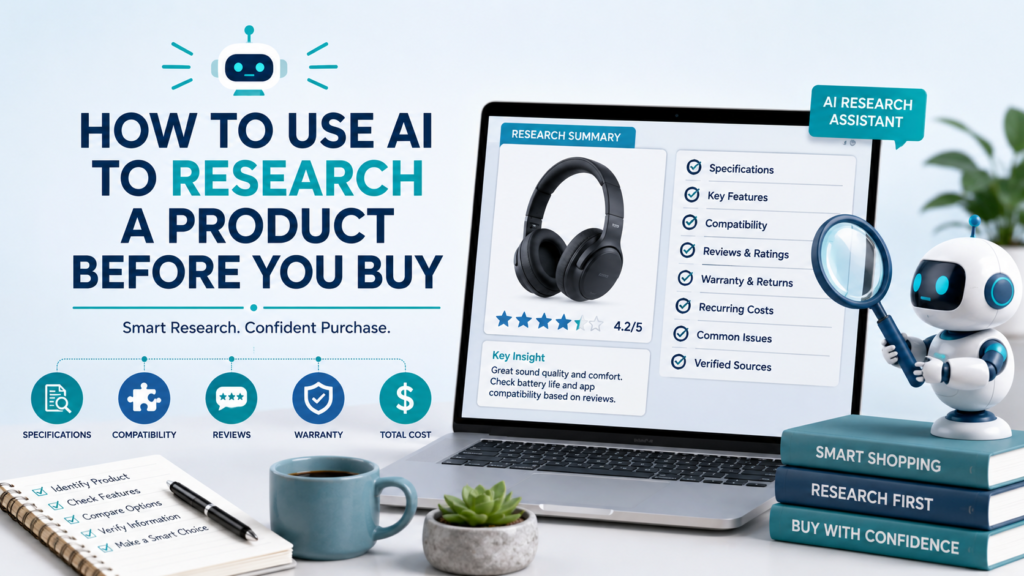
Buying a product is easier than ever, but researching it can be surprisingly difficult. A product page may highlight impressive features while leaving important questions unanswered. Reviews may disagree with one another, specifications may vary between models, and a low purchase price may not reveal the true cost of owning the product.
One practical solution is to use AI to research a product before you buy. AI can help you organize product information, identify questions you have not considered, summarize technical specifications in plain English, examine review patterns, and build a checklist of details that still need verification.
However, AI should not be treated as the final source of product information. Prices, specifications, warranties, software support, product versions, and retailer policies can change. AI can also confuse similar models or confidently provide outdated information.
The safest approach is simple: use AI to organize your research, then verify the facts that matter to your purchase using current and authoritative sources.
Why Use AI to Research a Product Before You Buy?
Product research often involves information scattered across many places.
You may need to check:
- Manufacturer specifications
- Product features
- Compatibility
- Dimensions and weight
- Required accessories
- Warranty coverage
- Return policies
- Replacement parts
- Subscription requirements
- Customer reviews
- Common complaints
- Long-term ownership costs
AI can help turn those separate pieces into a structured research process.
For example:
I am considering buying [product and exact model]. Help me create a research checklist before I buy it. Focus on specifications, compatibility, warranty, recurring costs, common complaints, and information that I should verify from current official sources.
Notice that you are not asking AI whether you should immediately buy the product.
You are asking it to help you investigate the product first.
Step 1: Identify the Exact Product
Start by making sure you know exactly which product you are researching.
This matters because manufacturers often sell several products with nearly identical names.
For example, there may be:
- Different generations
- Different storage capacities
- Different screen sizes
- Standard and Pro versions
- Wi-Fi and cellular versions
- Different model years
- Region-specific versions
Tell AI:
I am researching the exact model [full product name/model number]. Do not assume specifications from similar models. If you are uncertain whether information applies to this exact model, tell me.
This instruction can reduce confusion, but it does not guarantee accuracy.
Before purchasing, confirm the model number on the manufacturer’s or seller’s current product page.
Step 2: Explain Why You Want the Product
A product feature only matters if it helps with something you actually need.
Suppose you are researching a laptop.
Instead of:
Research this laptop.
try:
I am considering this laptop primarily for web browsing, Microsoft Office, video calls, streaming, and light photo editing. I expect to keep it for at least four years. Help me identify the specifications and features that matter most for those uses.
For a vacuum cleaner:
I am researching this cordless vacuum for a two-story home with hardwood floors, area rugs, stairs, and a dog that sheds. What product information should I investigate before buying?
Now AI can organize the research around your real needs.
Step 3: Start With the Manufacturer’s Official Specifications
When researching specifications, the manufacturer’s current product page or official documentation should usually be one of your first sources.
Look for information such as:
- Dimensions
- Weight
- Materials
- Capacity
- Battery specifications
- Power requirements
- Included accessories
- Compatibility
- Warranty
- Technical requirements
You can copy relevant specifications into AI and ask:
Explain these specifications in beginner-friendly language. Which ones are most important for the way I plan to use this product?
This approach is generally more reliable than asking AI to recall specifications from memory.
AI helps interpret the information.
The official source provides the facts.
Step 4: Ask AI What You May Be Overlooking
One of AI’s most useful roles in product research is generating questions.
Ask:
Based on this product and how I plan to use it, what important questions should I answer before buying?
For a printer, AI might remind you to investigate:
- Ink costs
- Replacement cartridge availability
- Automatic duplex printing
- Wi-Fi compatibility
- Paper capacity
- Subscription requirements
For headphones, questions might involve:
- Device compatibility
- Battery life
- Charging
- Comfort
- Microphone quality
- Replacement ear pads
You may not need every question AI suggests.
Select the ones relevant to your purchase.
Weak Prompt vs. Better Prompt
Weak Prompt
Is this product good?
“Good” has no clear meaning.
AI does not know how you plan to use the product, what your budget is, or which problems would make the purchase unsuitable.
Better Prompt
I am researching [exact product/model] before buying it. I plan to use it for [main uses], and my budget is approximately [$ amount]. Help me investigate its important specifications, compatibility, warranty, required accessories, recurring costs, and common complaints. Separate information that can be verified from official sources from opinions or user experiences. Clearly identify anything that may be outdated or needs current verification.
The second prompt gives AI a specific research job.
If your AI responses are too general, How to Write AI Prompts: A Simple Beginner’s Guide explains how clearer instructions and relevant context can improve the result.
Step 5: Investigate Compatibility Before Buying
Compatibility problems can turn a good product into a bad purchase.
Depending on the product, check compatibility with:
- Computer operating systems
- Phones or tablets
- Smart-home platforms
- Existing accessories
- Chargers
- Cables
- Software
- Mounting systems
- Replacement parts
- Home electrical requirements
For example:
I want to use this device with [existing device/system]. Create a compatibility checklist showing exactly what I should verify before buying.
Do not rely only on AI’s answer.
Check current manufacturer compatibility information, especially when incompatibility would make the product unusable.
Step 6: Look for Required Accessories
Sometimes the advertised product is not everything you need.
A camera may need a memory card.
A printer needs ink or toner.
A tool may require a battery that is sold separately.
A smart-home device may require a hub.
Ask:
What additional accessories, supplies, subscriptions, or equipment might be required to use this product as intended? Separate required items from optional upgrades.
Then verify those requirements from current product documentation.
This can prevent an apparently inexpensive purchase from becoming unexpectedly expensive.
Step 7: Research the Real Cost of Ownership
Purchase price is only one part of cost.
Depending on the product, long-term costs might include:
- Replacement filters
- Ink or toner
- Batteries
- Replacement blades
- Cleaning supplies
- Subscription fees
- Cloud storage
- Accessories
- Maintenance
- Replacement parts
Ask:
Help me create a total-cost checklist for this product. Include the purchase price and possible recurring or replacement costs. Do not guess current prices; mark prices that I need to verify.
That final instruction is important.
AI can identify types of costs without pretending it knows today’s exact prices.
Step 8: Check Whether Important Features Require a Subscription
More products now combine hardware with software or online services.
A feature that appears to be included may require a subscription after a trial period.
Before buying, investigate questions such as:
- Is an account required?
- Is there a free tier?
- Which features require payment?
- Is cloud storage included?
- Does a trial automatically convert to a paid plan?
- Does the product remain useful without the subscription?
Ask AI:
Separate this product’s core features from features that require a subscription or ongoing payment. Mark anything that needs current verification.
Then confirm the information on the manufacturer’s current website.
Step 9: Research the Warranty
Warranty coverage can matter, particularly for expensive products.
Check:
- Warranty length
- What is covered
- What is excluded
- Who provides the warranty
- Whether proof of purchase is required
- Repair or replacement procedures
- Whether coverage varies by seller or country
Ask:
Turn this warranty information into a simple summary. Separate what appears to be covered, excluded, and unclear.
But always keep the actual warranty terms as the authoritative source.
The FTC provides consumer guidance about warranties explaining important concepts such as written warranties and service contracts that consumers may encounter when purchasing products.
Step 10: Check the Return Policy Separately
Warranty and return policy are not the same thing.
A manufacturer warranty might cover defects for a year, while a retailer may allow returns for only a much shorter period.
Before buying, check:
- Return window
- Condition requirements
- Original packaging requirements
- Return shipping
- Restocking fees
- Refund method
- Open-box restrictions
Ask AI:
Summarize this return policy in plain English and identify any conditions I should pay particular attention to.
Then read the actual policy yourself before making an expensive purchase.
Step 11: Look for Patterns in Customer Reviews
Customer reviews can provide information that product specifications cannot.
They may reveal recurring comments about:
- Reliability
- Noise
- Comfort
- Durability
- Battery performance
- Ease of setup
- Software problems
- Customer service
- Replacement parts
Instead of asking AI:
Are the reviews good?
give it a more specific job:
From the review information I provide, identify recurring positive and negative themes. Separate complaints mentioned repeatedly from isolated complaints. Do not treat star ratings alone as evidence.
This can make large amounts of review information easier to understand.
Step 12: Be Careful With Fake or Misleading Reviews
Reviews should not automatically be treated as independent evidence.
Some reviews may be incentivized, manipulated, fake, or unrelated to the exact product version you are researching.
The FTC’s guidance on evaluating online reviews recommends looking beyond star ratings, considering multiple sources, and paying attention to whether reviewers may have received incentives.
AI can help summarize review information, but it cannot guarantee that every review is genuine.
When reviews strongly influence your decision, examine the original sources yourself.
Step 13: Separate Facts, Experiences, and Interpretations
This is one of the most useful things you can ask AI to do.
Try:
Separate my research into three categories: verified facts, user-reported experiences, and interpretations or assumptions.
For example:
Verified fact:
The manufacturer lists the product weight as 5.2 pounds.
User-reported experience:
Several reviewers describe the product as difficult to carry upstairs.
Interpretation:
The product may not be ideal for someone who prioritizes portability.
Keeping those categories separate can make your research much clearer.
Step 14: Investigate Recurring Complaints
A single negative review may not mean much.
A recurring complaint deserves more attention.
Ask:
What negative themes appear repeatedly in the review information I provided? Which complaints could significantly affect the way I plan to use the product?
Suppose many reviewers mention:
- Battery degradation
- Difficult cleaning
- Software connection problems
- Expensive replacement filters
Those patterns may be worth investigating further.
Do not ask AI merely to count positive and negative comments.
Ask whether the recurring complaints matter for your particular use.
Step 15: Check the Age of the Information
Product information becomes outdated.
A review from three years ago may refer to:
- Older hardware
- Older software
- An earlier model
- A problem that has been fixed
- A feature that has been removed
- A different warranty policy
Ask:
Identify dates in the information I provided and flag anything that may refer to an older version of the product.
Also check the publication or update date of important sources yourself.
Current information matters most when researching products that change frequently.
Step 16: Verify Important AI Claims
AI can be useful throughout the research process, but confidence is not proof.
If AI says:
This model includes a three-year warranty.
ask:
What is the source for that claim, and could the information have changed?
Then verify it from the current manufacturer documentation.
The same applies to:
- Specifications
- Compatibility
- Included accessories
- Warranty
- Subscription requirements
- Product versions
For a broader verification process, How to Check If an AI Answer Is Accurate explains how to evaluate AI-generated information before relying on it.
Step 17: Ask AI to Identify Red Flags
After gathering your research, ask:
Review the information I collected and identify possible red flags that deserve additional investigation before I buy. Do not assume a red flag means I should reject the product.
Possible red flags could include:
- Conflicting specifications
- Many complaints about the same problem
- Difficult-to-find replacement parts
- Unexpected subscriptions
- Limited compatibility
- Unclear warranty terms
- High recurring costs
The purpose is not to make AI overly negative.
It is to identify questions that remain unresolved.
Step 18: Compare the Product With Your Original Needs
Research can easily become distracted by features.
Return to the reason you wanted the product.
Ask:
Based on my original needs, which product features directly matter to me, which are useful but optional, and which appear irrelevant?
This can help prevent feature overload.
A product with more features is not necessarily a better purchase if you will never use those features.
Step 19: Know When to Move From Research to Comparison
Research and comparison are related but different tasks.
Research asks:
What should I know about this product?
Comparison asks:
How does this product perform against another option?
Once you understand the product well enough, you may want to compare it with one or two alternatives.
At that stage, How to Use AI to Compare Products Before Buying provides a structured process for comparing features, trade-offs, total costs, and priorities.
This keeps your research process organized instead of mixing every possible product into the first step.
Step 20: Create a Final Pre-Purchase Checklist
Before purchasing, ask AI:
Based on everything we researched, create a final pre-purchase verification checklist. Include only information important enough to verify before I spend money.
A checklist might include:
- Exact model confirmed
- Important specifications verified
- Compatibility confirmed
- Required accessories identified
- Subscription requirements checked
- Current price checked
- Recurring costs understood
- Warranty reviewed
- Return policy reviewed
- Major review patterns considered
- Important complaints investigated
Do not ask AI to check boxes automatically.
You should confirm each item yourself.
A Reusable AI Product Research Prompt
You can reuse this template:
Help me research a product before I buy it.
Product:
[Exact product and model]How I plan to use it:
[Main uses]Budget:
[Approximate amount]Features that matter most:
[List]Existing products or systems it must work with:
[Optional]Help me investigate specifications, compatibility, required accessories, subscription requirements, recurring costs, warranty, return considerations, and common customer complaints. Separate verified facts from user experiences and assumptions. Identify information that may be outdated and clearly mark anything I should verify from a current official source before purchasing. Finish with a pre-purchase checklist.
The more expensive or important the purchase, the more useful a structured research process can become.
Practical Example: Researching a Robot Vacuum
Imagine you are considering a specific robot vacuum.
You have:
- Hardwood floors
- Two area rugs
- A shedding pet
- Wi-Fi
- Several pieces of low furniture
You could begin:
I am considering [exact robot vacuum model]. I have hardwood floors, area rugs, and a shedding dog. Help me create a research checklist. I care most about pet-hair pickup, navigation, maintenance, replacement-part costs, and whether it can clean under low furniture.
Next:
Here are the manufacturer’s specifications. Explain the features that matter most for my needs.
Then:
What replacement parts or recurring costs should I investigate?
After collecting reviews:
Here are several review summaries. Identify recurring complaints that could affect my situation. Separate repeated patterns from isolated complaints.
Then:
What important information is still missing?
Finally:
Create a final checklist of facts I should verify before purchasing.
This process makes AI part of your research workflow without allowing it to become your only source.
Common Mistakes When Using AI for Product Research
Asking AI Whether You Should Buy Something Too Early
Research first.
Recommendation comes later.
Researching the Wrong Model
Confirm the exact product and version.
Trusting AI’s Memory for Specifications
Use current manufacturer information when specifications matter.
Ignoring Compatibility
A highly rated product can still be useless if it does not work with your existing setup.
Looking Only at the Purchase Price
Investigate recurring and replacement costs.
Reading Only Five-Star Reviews
Look for recurring themes across positive, neutral, and negative experiences.
Treating Every Complaint as a Deal Breaker
Ask whether the complaint matters for your particular use.
Forgetting Return and Warranty Terms
These can become important if the product does not work as expected.
Protect Your Personal Information While Researching
Product research usually does not require sensitive personal information.
AI may need to know:
My budget is approximately $500.
It generally does not need:
- Credit card numbers
- Bank information
- Retailer passwords
- Account credentials
- Exact home address
- Private financial records
For compatibility questions, provide only the information necessary to answer the question.
For example:
I use a Windows 11 laptop.
is usually more appropriate than sharing detailed account or device information that is unrelated to compatibility.
Use AI as a Research Assistant, Not the Final Source
AI is particularly useful for organization.
It can help you:
- Build research checklists
- Explain technical specifications
- Identify compatibility questions
- Find categories of hidden costs
- Summarize warranty language
- Organize review themes
- Identify recurring complaints
- Separate facts from opinions
- Find unanswered questions
- Create a final verification checklist
But the final facts should come from current, appropriate sources.
For important purchasing decisions, verify information that could change the outcome of your decision.
That extra verification may take a few minutes, but it can prevent a much more expensive mistake.
Final Takeaway
Learning how to use AI to research a product before you buy can make product research more organized and easier to understand.
Start with the exact product and explain how you plan to use it. Use current manufacturer specifications as your factual foundation, then ask AI to explain those specifications, identify compatibility questions, uncover possible recurring costs, and organize customer-review patterns.
As your research develops, separate verified facts from opinions and assumptions. Pay particular attention to recurring complaints, warranties, return policies, subscriptions, and information that may be outdated.
Finally, ask AI to create a pre-purchase verification checklist and personally confirm the details that matter most.
AI can make product research faster and more structured. The final purchase should still be based on current, verified information.