
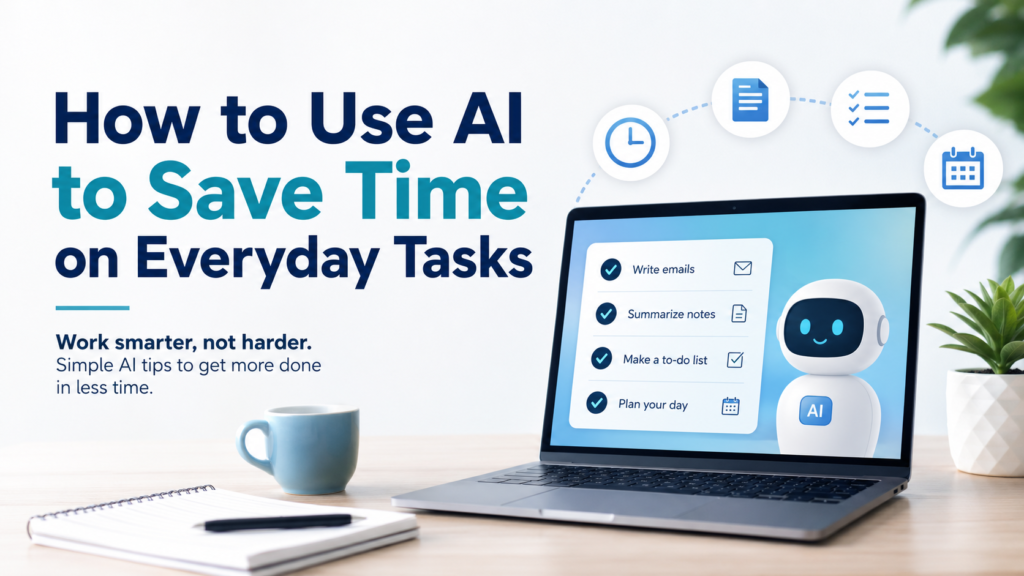
Modern life is filled with small tasks that quietly consume time. Writing emails, organizing notes, making lists, planning meals, comparing options, summarizing information, and deciding what to do next may each take only a few minutes, but together they can take hours every week.
One practical solution is to use AI to save time on everyday tasks. AI can help create first drafts, summarize information, organize scattered ideas, build reusable templates, and turn vague goals into clear action steps.
The goal is not to let AI handle everything for you. The best approach is to use it for repetitive or time-consuming parts of a task while keeping important decisions, verification, and personal judgment in your hands.
Why AI Can Save Time on Everyday Tasks
Many people think saving time simply means working faster. In reality, much of our time disappears into small repeated activities: starting similar messages from scratch, reorganizing the same types of information, deciding how to structure a task, or searching through long notes to find the important parts.
AI can reduce some of this friction by giving you a useful starting point.
| Everyday Task | How AI Can Help | Potential Benefit |
|---|---|---|
| Emails and messages | Create or revise a first draft | Less time starting from scratch |
| Long notes | Summarize key information | Faster review |
| Planning | Organize priorities and steps | Less decision-making |
| Repetitive work | Create reusable templates | Avoid repeating the same setup |
| Scattered ideas | Sort and structure information | Easier next steps |
| Routine decisions | Generate a short list of options | Reduce decision fatigue |
Microsoft offers a beginner-focused resource on using AI for everyday tasks, including ways to apply generative AI at home and at work and improve prompts.
Step 1: Find the Tasks That Waste the Most Time
Do not begin by trying to use AI for everything. Start by identifying two or three activities that repeatedly take longer than they should.
Good candidates tend to be repetitive, predictable, information-heavy, or easy to describe with clear instructions.
Sample Prompt:
I want to save time in my daily life. Here are the tasks I repeat every week: [list tasks]. Identify which three tasks AI could help me complete faster. Explain how AI could help and what I should still review myself.
The goal is to find practical opportunities rather than inventing complicated AI workflows that create more work.
Step 2: Use AI to Create First Drafts
Starting from a blank page often takes longer than editing something that already exists. AI can create a first draft that you review, correct, and personalize.
| Task | Sample Prompt |
|---|---|
| “Write a professional but friendly email explaining that the delivery date has changed.” | |
| Message | “Rewrite this message so it sounds polite, clear, and concise.” |
| Announcement | “Create a short family-event announcement using these details.” |
| Instructions | “Turn these notes into simple step-by-step instructions.” |
The first draft does not need to be perfect. Its job is to give you something useful to work from.
Before sending anything important, check names, dates, facts, tone, and any details AI may have misunderstood.
Step 3: Summarize Long Information
Long documents, articles, meeting notes, and instructions can take significant time to review. AI can help extract the main ideas before you decide where closer reading is necessary.
Sample Prompt:
Summarize this information into five key points. Then create a separate section called “Action Needed” for anything that requires me to do something.
You can also ask:
Explain this in simple language and identify the three details most important for a beginner.
This works especially well when your goal is to understand the structure of the information quickly.
However, an AI summary should not automatically replace the original source. If the information involves contracts, finances, medical decisions, legal issues, safety instructions, or another high-stakes matter, review the original carefully and seek appropriate professional guidance when necessary.
Step 4: Turn Repeated Work Into Reusable Templates
If you repeat a task every week, ask whether you really need to rebuild it every week.
Templates are useful for recurring emails, checklists, planning routines, meeting notes, household tasks, and other predictable activities.
Sample Prompt:
I repeat this task every Friday: [describe task]. Turn it into a reusable template with placeholders for the information that changes each week.
Instead of recreating the entire task, you can update only the variable information.
OpenAI Academy describes this broader idea of turning recurring work into repeatable workflows so that you spend less time re-explaining the same process. OpenAI Academy’s guidance on reusable AI workflows is a useful additional resource for understanding this approach.
Step 5: Turn Ideas Into Actionable Tasks
A project can consume time simply because you do not know where to begin.
For example:
I need to organize my home office.
That is a goal, not a clear action.
Ask:
Break organizing my home office into small tasks that can each be completed in 15 to 30 minutes. Put them in a practical order.
AI might turn one overwhelming project into actions such as sorting papers, clearing the desk, organizing cables, grouping office supplies, and deciding where frequently used items belong.
If you want to take this further, How to Use AI to Make a To-Do List explains how to turn larger goals into manageable tasks and priorities.
Step 6: Organize Scattered Information
Another common time drain is information that exists but is poorly organized.
You may have notes, ideas, reminders, meeting points, or research collected in no particular order. Instead of manually restructuring everything, give AI the material and specify the organization you want.
For example:
Organize these notes into four sections: Important Information, Decisions, Tasks, and Questions. Do not remove details unless they are exact duplicates.
Or:
Turn these scattered ideas into a logical outline without adding new information.
This is an important distinction: AI does not always need to create new content. Sometimes its most useful job is simply making existing information easier to use.
Step 7: Simplify Daily and Weekly Planning
Planning can consume time before the real work even begins. AI can help organize priorities, estimate a reasonable sequence, and create a starting schedule.
For daily planning:
I have these eight tasks today. Help me choose the three highest priorities and suggest a realistic order. Do not schedule every minute.
For a more complete process, How to Use AI to Plan Your Day explains how to organize daily priorities without creating an unrealistic schedule.
Weekly planning works similarly:
Here are my fixed commitments and tasks for this week. Help me distribute the flexible tasks across Monday through Friday without overloading one day.
If your responsibilities need to be spread across several days, How to Use AI to Create a Weekly Schedule provides a more detailed method.
AI should help reduce planning time—not create a schedule so complicated that managing the schedule becomes another task.
Step 8: Reduce Repetitive Writing and Editing
Many everyday writing tasks are not completely new. You may repeatedly need to shorten messages, adjust tone, clarify explanations, or turn rough notes into readable text.
Instead of repeatedly explaining the entire job, create a small collection of prompts you know work well.
| Goal | Reusable Prompt |
|---|---|
| Shorten | “Make this shorter without removing important information.” |
| Clarify | “Rewrite this in simple, clear language for a beginner.” |
| Professional tone | “Make this sound professional but not overly formal.” |
| Friendly tone | “Make this warmer and more conversational while keeping the meaning.” |
| Proofread | “Correct grammar and spelling, but do not change my meaning.” |
Once you find a prompt that consistently works, save it and reuse it.
That is usually faster than inventing new instructions every time.
Step 9: Use AI to Reduce Small Everyday Decisions
Not every decision deserves 20 minutes of thought.
AI can provide a short starting list when you are deciding what to cook, how to structure a weekend, what order to complete chores, or how to approach a simple project.
Instead of:
What should I make for dinner?
give AI useful constraints:
Give me five simple dinner ideas using chicken, rice, and vegetables. Each should take about 30 minutes or less. Do not suggest ingredients that require a special shopping trip.
The goal is not to let AI control everyday choices. It is to narrow a large number of possibilities into a manageable set of options.
Step 10: Combine Related Tasks
AI can sometimes save more time by connecting several small tasks.
Suppose you already have a weekly meal plan. Instead of separately creating a grocery list, sorting the list, and checking what can be prepared early, ask:
Here is my meal plan for the week. Create a grocery list organized by produce, meat, dairy, pantry, and frozen items. Then identify ingredients used in more than one meal.
Or after creating a project plan:
Turn this project plan into a checklist organized by what I should do today, this week, and later.
This reduces the need to restart the conversation for every closely related task.
Step 11: Create a Small AI Routine
The biggest time savings often come from repetition.
You might use AI at predictable points during your day or week:
| When | AI-Assisted Routine |
|---|---|
| Morning | Identify today’s top priorities |
| Before writing | Create a first draft or outline |
| After a meeting | Summarize notes and next steps |
| End of day | Organize unfinished tasks |
| End of week | Review progress and prepare next week’s priorities |
You do not need all five.
Start with one routine that solves a real problem. If it consistently saves time, keep it. If it creates more work, simplify or remove it.
Step 12: Know When AI Is Not Saving Time
Using AI is not automatically more efficient.
Suppose a task takes two minutes manually, but you spend ten minutes writing a detailed prompt, correcting the response, and changing the format.
You have not saved time.
A simple test is:
Did using AI make this task faster, easier, or better enough to justify the extra step?
If the answer is no, complete the task normally.
AI is a tool, not a requirement.
Step 13: Keep Human Judgment Where It Matters
Efficiency should not come at the expense of accuracy or good judgment.
Be particularly careful when tasks involve:
- Legal decisions
- Medical information
- Financial decisions
- Safety
- Sensitive personal situations
- Important professional communication
AI can still assist with organization.
For example:
Summarize these questions so I can discuss them with a qualified professional.
is very different from:
Make this major financial decision for me.
Use AI to reduce administrative effort while keeping consequential decisions in appropriate human hands.
Step 14: Protect Your Privacy
Saving a few minutes is not worth unnecessarily exposing sensitive information.
You usually do not need to give AI:
- Passwords
- Credit card numbers
- Bank account details
- Government identification numbers
- Security codes
- Confidential documents unrelated to the task
Give AI only the context necessary to complete the request.
For example, instead of providing actual banking information:
Help me create a monthly budget template with categories for housing, transportation, food, savings, and entertainment.
The structure can be useful without sharing private account information.
A Reusable Time-Saving Prompt
When you are unsure where AI could help, use this template:
I want to use AI to save time on everyday tasks.
My recurring responsibilities:
[List]Tasks that take the most time:
[List]Tasks I dislike repeating:
[List]My main goal:
[Save time, stay organized, reduce repetitive writing, etc.]Identify the three best opportunities for AI to help. For each one, give me a reusable prompt, explain what AI can handle, and tell me what I should still review myself. Keep the workflow simple.
This type of prompt is useful because it asks AI to focus on a few high-value opportunities instead of suggesting dozens of unnecessary uses.
Practical Example: Saving Time During a Busy Week
Imagine someone regularly spends time writing emails, organizing daily tasks, planning meals, reviewing notes, and preparing a weekly schedule.
Instead of handling each activity from scratch, they could build a simple workflow:
- Monday morning: organize the week’s priorities.
- Before writing routine emails: use a saved drafting prompt.
- After long meetings: summarize notes into decisions and tasks.
- Before grocery shopping: turn the meal plan into a categorized list.
- Friday afternoon: review unfinished tasks and prepare next week’s starting list.
The important part is not the exact routine. It is that repeated tasks now have a repeatable starting process.
Sample Prompt:
These are the tasks I repeat every week: [tasks]. Create a simple AI-assisted workflow that reduces repetitive work. Keep it to five steps or fewer and do not automate decisions that require my judgment.
Common Mistakes When Using AI to Save Time
| Mistake | Better Approach |
|---|---|
| Trying to use AI for everything | Start with one or two repetitive tasks |
| Writing vague prompts | Give a clear goal and useful context |
| Creating complicated workflows | Keep the process simple |
| Trusting every output | Review important information |
| Repeating the same instructions | Save effective prompts as templates |
| Sharing unnecessary private data | Provide only information relevant to the task |
| Measuring activity instead of results | Ask whether AI actually saved time |
The purpose of AI productivity is not to create more AI activity. It is to reduce unnecessary work.
Build a Personal Library of Prompts That Work
After using AI for a while, you will probably notice that certain prompts repeatedly produce useful results.
Save those prompts.
Your personal collection might include:
- Email drafting prompt
- Weekly planning prompt
- Summary prompt
- To-do list prompt
- Meal-planning prompt
- Proofreading prompt
- Project breakdown prompt
You can then adjust only the details.
This is one of the simplest ways to make AI more efficient over time because you stop reinventing your instructions.
Use AI to Create More Time, Not More Work
A complicated AI system is not automatically a productive system.
Start small. Find one task you repeat. Ask AI to help simplify it. Review whether the result actually saves time.
Then improve the process only if necessary.
The best AI workflow may be nothing more than a reusable prompt that saves you ten minutes several times a week.
Those small savings can add up without requiring you to redesign your entire life around AI.
Final Takeaway
Learning how to use AI to save time on everyday tasks is less about doing everything with AI and more about identifying where AI provides genuine value.
Use it to create first drafts, summarize long information, organize scattered notes, build reusable templates, break projects into smaller tasks, and reduce repetitive decision-making.
Keep the system simple. Save the prompts that work. Verify important information and keep personal judgment where it belongs.
Most importantly, pay attention to whether AI is actually saving you time.
When used thoughtfully, small AI-assisted improvements can reduce repetitive work and give you more time for the tasks, people, and activities that deserve your attention.