
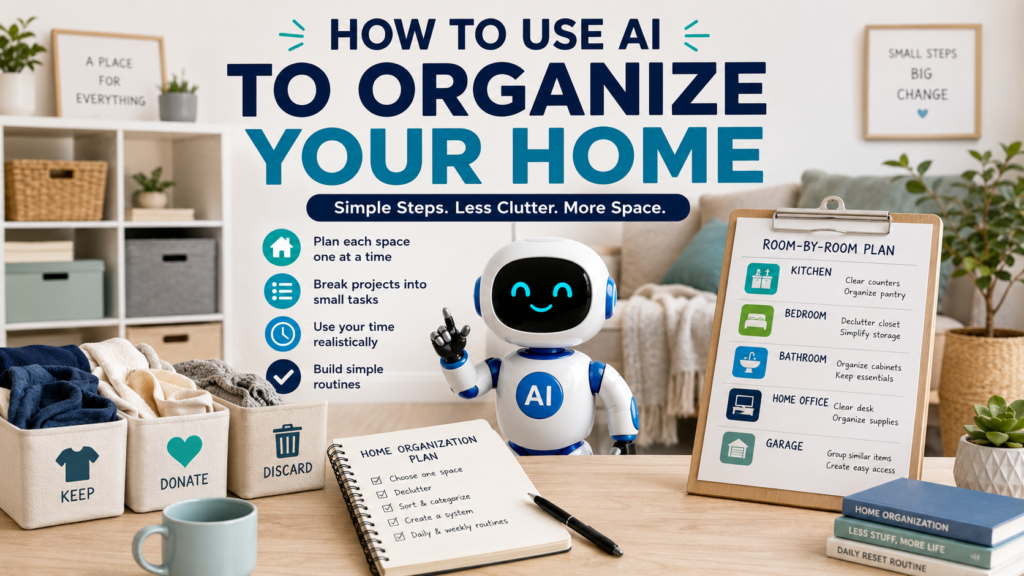
A cluttered home can make even simple tasks feel more difficult. You may know that a closet, kitchen, garage, bedroom, or home office needs attention, but deciding where to start can be the hardest part.
One practical approach is to use AI to organize your home. AI cannot physically sort your belongings or decide what matters to you, but it can help turn an overwhelming organization project into smaller, clearer tasks.
You can describe the space you want to organize, explain the problems you are having, tell AI how much time you have, and ask it to create a step-by-step plan. You can then review that plan and adjust it to fit your home and priorities.
The goal is not to create a perfectly organized house overnight. It is to make the next step easier to see and easier to complete.
Why Use AI to Organize Your Home?
Home organization often becomes overwhelming because several decisions are mixed together.
You may need to decide:
- Which room to start with
- What should stay
- What can be donated
- What should be discarded
- Where frequently used items should go
- Which project is most urgent
- How much you can realistically finish today
- How to prevent clutter from returning
AI can help separate these decisions into manageable steps.
For example, instead of thinking:
I need to organize my entire house.
you could tell AI:
My kitchen counters are cluttered with mail, small appliances, food containers, and items that belong in other rooms. I have 30 minutes today. Help me create a simple organization plan.
That gives AI a specific problem to work with.
Step 1: Choose One Space to Organize
Trying to organize your entire home at once can quickly become discouraging.
Start with one defined area.
It might be:
- A kitchen counter
- One closet
- A bathroom cabinet
- A desk
- A bedroom
- A pantry
- A garage shelf
- An entryway
Instead of:
Help me organize my house.
try:
Help me organize my entryway. Shoes, coats, bags, mail, and keys tend to collect there.
A smaller scope gives AI a clearer task and gives you a project that is easier to finish.
Once one space is under control, you can move to another.
Step 2: Describe the Actual Problem
Do not just tell AI the name of the room.
Explain what is making the space difficult to use.
For example:
My home office has papers on the desk, cables on the floor, unopened mail, office supplies in several drawers, and books that do not have a permanent place.
Then ask:
Break this organization project into small tasks in a logical order.
AI might suggest starting with obvious trash, gathering papers, separating items that belong elsewhere, grouping office supplies, and then deciding where the remaining items should live.
You do not have to follow that order exactly.
The purpose is to turn a vague problem into specific actions.
Step 3: Tell AI How Much Time You Have
An organization plan should match the time you actually have.
If you only have 15 minutes, say so.
For example:
I have 15 minutes before I leave the house. Give me three small organization tasks I can complete in my kitchen without starting a major project.
If you have an hour:
I have one hour to work on my bedroom closet. Create a realistic plan with four or five steps and tell me what to do first.
You can also ask AI to create different versions:
Give me a 15-minute version, a 30-minute version, and a one-hour version of this organization plan.
This makes it easier to keep making progress even when your available time changes.
Step 4: Ask AI to Break a Large Project Into Small Tasks
“Organize the garage” is a project, not a single task.
It may involve dozens of smaller decisions.
Ask:
Break organizing my garage into small tasks that can each be completed separately. Put them in a practical order.
The result might include:
- Remove obvious trash.
- Identify items that belong inside the house.
- Group similar items together.
- Separate items you no longer want.
- Create categories for tools, sports equipment, seasonal items, and household supplies.
- Decide which categories need storage space.
- Return frequently used items to accessible locations.
- Label containers if useful.
You can then work through the project one step at a time instead of trying to finish everything in one session.
Step 5: Ask AI to Help You Prioritize
Sometimes several areas need attention.
You might have:
- A cluttered kitchen counter
- An overflowing hall closet
- A messy garage
- An unorganized desk
- A crowded bathroom cabinet
Ask AI:
Help me decide which of these organization projects to tackle first. Prioritize spaces that interfere most with everyday activities. Explain the order briefly.
AI might suggest starting with the kitchen or entryway because you use those spaces every day.
But the final decision is yours.
Perhaps the garage is more urgent because you need space for an upcoming project. AI cannot know that unless you tell it.
Weak Prompt vs. Better Prompt
Weak Prompt
Organize my home.
This gives AI almost no useful information.
It does not know what your home looks like, which areas are cluttered, what bothers you most, or how much time you have.
Better Prompt
Help me organize my small home office. My desk is covered with papers and mail, office supplies are spread across several drawers, and cables are collecting on the floor. I have 45 minutes today. Break the project into small tasks, put them in a practical order, and focus first on making the desk usable again. Do not suggest buying storage products yet.
The second prompt gives AI a clear space, specific problems, a time limit, and a desired result.
If you want to improve requests like this, How to Write AI Prompts: A Simple Beginner’s Guide explains how clear instructions and useful context can produce more relevant AI responses.
Step 6: Use Simple Sorting Categories
When organizing physical belongings, you need a way to decide what happens to each item.
A simple system might include:
- Keep here
- Move elsewhere
- Donate
- Recycle
- Discard
- Decide later
You can ask:
Create a simple sorting system for organizing my bedroom closet. I want as few categories as possible so I do not get overwhelmed.
AI might suggest placing temporary boxes or bags nearby for each category.
However, AI should not decide which personal belongings you must keep or discard.
For example, it may not understand the financial, practical, or sentimental importance of an item.
Use AI to create the sorting process. Make the final decisions yourself.
Step 7: Organize Items by How You Actually Use Them
A neat-looking space is not necessarily a practical space.
Frequently used items should usually be easy to reach.
You might tell AI:
I use coffee supplies every morning, baking supplies about once a month, and special serving dishes only a few times a year. Help me decide which categories should be easiest to access in my kitchen.
Or:
My children use backpacks and shoes every weekday. Suggest a simple entryway organization system that makes those items easy to put away.
The goal is to create a home that supports everyday routines, not just one that looks organized for a photograph.
Step 8: Ask AI to Work With Storage You Already Have
You do not necessarily need to buy new containers, shelves, or organizers.
Before shopping, tell AI what you already have.
For example:
I have two empty baskets, three small plastic bins, one shelf, and several cardboard boxes. Suggest how I could use these to organize my bathroom supplies. Do not recommend buying anything yet.
This can help you experiment with a system before spending money.
After you know what actually needs storage, you can decide whether additional products would be useful.
Step 9: Create a Room-by-Room Plan
If several rooms need attention, ask AI to create a sequence.
For example:
I want to organize my kitchen, bedroom, bathroom, home office, and garage over the next month. Create a room-by-room plan that focuses on one main area at a time.
Then add your availability:
I can spend about 30 minutes on weekdays and up to two hours on Saturday. Keep Sunday free.
AI can distribute the work across your available time.
For broader planning across multiple days, How to Use AI to Create a Weekly Schedule can help you fit organization projects around other responsibilities.
Step 10: Turn the Plan Into Actionable Tasks
A home organization plan becomes more useful when each step tells you exactly what to do.
If you want to turn those small actions into a clear task list, How to Use AI to Make a To-Do List explains how AI can help organize and prioritize individual tasks.
Instead of:
Organize pantry.
turn it into tasks such as:
- Remove expired or unwanted items.
- Group canned foods together.
- Group breakfast foods together.
- Put frequently used foods within easy reach.
- Move rarely used items higher or farther back.
- Make a list of anything that needs replacing.
Ask AI:
Rewrite my home organization plan as specific actions that I can check off one at a time.
This makes it easier to start and easier to see progress.
Step 11: Create a Short Daily Reset Routine
Organizing a space once does not guarantee that it will stay organized.
A small reset routine can help.
For example:
Create a 10-minute evening reset routine for my kitchen and living room. Keep it simple enough that I can realistically do it most days.
AI might suggest:
- Return items to their usual places.
- Clear the main kitchen counter.
- Collect dishes.
- Put away shoes, bags, or mail.
- Prepare one frequently used area for tomorrow.
Adjust the routine to match your household.
If five tasks feel unrealistic, reduce it to three.
Consistency is usually more useful than creating an elaborate routine that you stop following after a few days.
Step 12: Create a Weekly Home Reset
Some tasks do not need daily attention.
Ask:
Create a simple 30-minute weekly home reset. Focus on clutter and organization rather than deep cleaning.
Your reset might include:
- Clear major surfaces.
- Return misplaced items.
- Sort accumulated mail or papers.
- Check the entryway.
- Reset one frequently used storage area.
- Identify one small project for the following week.
This can help prevent small amounts of clutter from becoming another large organization project.
Step 13: Ask AI to Simplify an Unrealistic Plan
AI sometimes creates plans that are too ambitious.
If it gives you 15 tasks for a 30-minute session, do not try to force yourself to follow them.
Say:
This plan is too long for 30 minutes. Reduce it to the three tasks that will make the biggest visible or practical difference.
Or:
I only completed the first two steps. Update the plan for tomorrow based on what remains.
AI can reorganize the unfinished work without requiring you to start from the beginning.
A Reusable Home Organization Prompt
Here is a template you can reuse:
Help me create a practical home organization plan.
Space:
[Room or specific area]Main problems:
[Describe the clutter or organization problem]Time available:
[15 minutes, 30 minutes, one hour, etc.]Main goal:
[Example: make the desk usable, clear the counter, organize the closet]Storage I already have:
[Optional]Create a simple step-by-step plan. Break large tasks into small actions and put them in a practical order. Focus on using what I already have before suggesting new storage products. Do not decide which personal or sentimental belongings I should discard.
You can shorten this prompt when the project is simple.
Practical Example: Organizing a Cluttered Entryway
Imagine your entryway contains:
- Several pairs of shoes
- Coats
- Backpacks
- Unopened mail
- Keys
- Reusable shopping bags
- Items that belong in other rooms
You could ask:
Help me organize my entryway. Shoes, coats, backpacks, mail, keys, and shopping bags collect there, along with random items that belong elsewhere. I have 30 minutes and two baskets I can use. I want the area to be easier to reset every evening. Give me a simple step-by-step plan and do not recommend buying anything.
After AI responds, perhaps the plan still looks too ambitious.
Follow up:
Reduce this to the four most important tasks I can realistically finish in 30 minutes.
After completing them:
I finished the first four tasks. Suggest a five-minute daily routine to keep the entryway from becoming cluttered again.
This turns one AI conversation into both an organization project and a maintenance routine.
Common Mistakes When Using AI for Home Organization
Trying to Organize the Entire House at Once
A huge project is harder to start.
Choose one room, one cabinet, or even one surface.
Giving AI Too Little Information
“Organize my closet” does not explain the actual problem.
Describe what is in the space and what is not working.
Accepting an Unrealistic Plan
AI may underestimate how long sorting physical belongings takes.
Adjust the plan to your actual pace.
Buying Storage Before Sorting
More containers do not automatically create less clutter.
First understand what you are keeping and what needs a permanent location.
Letting AI Make Personal Decisions
AI cannot understand the sentimental or practical importance of every possession.
Use it to organize the process, not to decide what you must throw away.
Creating a Complicated Maintenance Routine
A 30-minute daily organization routine may not last.
Start with something small enough to repeat.
Protect Your Privacy When Discussing Your Home
You can describe a clutter problem without giving AI unnecessary private information.
For example, you usually do not need to provide:
- Your exact home address
- Alarm or security codes
- Detailed security-system information
- Locations of spare keys
- Locations of cash or valuable items
- Information about when your home is regularly empty
- Private documents or account information
Instead of saying:
I keep important financial documents and cash in [specific location].
you can simply say:
I need to organize sensitive documents and valuables.
The AI only needs information relevant to the organization problem.
Use AI as a Planning Assistant, Not a Professional Organizer
AI can help you create plans, checklists, routines, and categories.
It cannot see every detail of your home or fully understand how your household uses each space.
You still decide:
- What belongs in your home
- What has sentimental value
- What should be donated or discarded
- Which storage locations are practical
- How much time you can realistically spend
- Which routines fit your household
If an AI suggestion makes your home harder to use, ignore it or ask for another option.
The best organization system is one that works in everyday life.
Final Takeaway
Learning how to use AI to organize your home can make an overwhelming project easier to approach.
Start with one specific space. Explain what is causing the problem, tell AI how much time you have, and ask it to break the project into small actions.
Use AI to help prioritize tasks, create sorting categories, plan room-by-room projects, and build simple maintenance routines. If a plan becomes too complicated, ask AI to simplify it.
Most importantly, keep the final decisions in your hands.
AI cannot physically organize your home, but it can help turn “I need to organize this mess” into a clear next step. That can be enough to make starting much easier.