
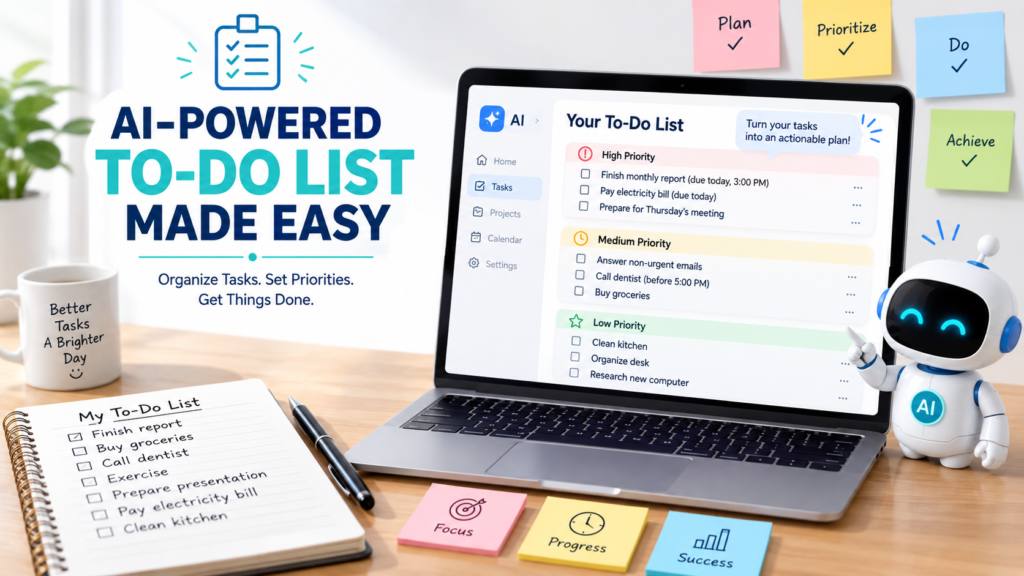
A to-do list should make your life easier, but sometimes it does the opposite. You write down everything you need to do, look at a long list of tasks, and still wonder where to start.
One simple solution is to use AI to make a to-do list. An AI assistant can help you turn scattered thoughts into organized tasks, identify priorities, break large projects into smaller steps, and create a list that is easier to act on.
You do not need a complicated productivity system to get started. Give AI the right information, review its suggestions, and adjust the final list to fit your actual priorities.
Here is a practical step-by-step approach.
Why Use AI to Make a To-Do List?
A traditional to-do list records tasks. AI can help you organize those tasks.
Imagine that this is everything on your mind:
- Answer emails
- Buy groceries
- Finish report
- Call dentist
- Clean kitchen
- Prepare presentation
- Pay electricity bill
- Exercise
- Make appointment
- Research new computer
You could simply write those items down and work through them randomly.
Or you could ask AI to separate them by priority, deadline, category, or the amount of time they may require.
This is especially useful when you have many responsibilities and do not know what deserves your attention first.
If you need more than a task list and want to organize your available hours as well, How to Use AI to Plan Your Day explains how to turn tasks into a daily schedule.
Step 1: Give AI Your Unorganized Task List
Start by writing down everything you think you need to do.
Do not worry about order.
For example:
I need to answer emails, finish my monthly report, buy groceries, call the dentist, clean the kitchen, pay two bills, exercise, and prepare for Thursday’s meeting.
Then ask:
Turn these tasks into a clear to-do list. Do not remove anything yet.
This first step gives you an organized version of the information without making unnecessary decisions.
You can review the list before moving on.
Step 2: Add Deadlines and Important Details
AI cannot know which tasks are urgent unless you tell it.
Add deadlines or time-sensitive information.
For example:
The monthly report is due tomorrow at 3:00 p.m. The bills are due Friday. I need to call the dentist during business hours. Groceries can wait until Thursday if necessary.
Now AI has more useful context.
Instead of treating every task equally, it can begin organizing the list around real constraints.
Step 3: Ask AI to Prioritize Your Tasks
Once AI understands your tasks and deadlines, ask it to organize them by priority.
Try:
Divide my tasks into high, medium, and low priority. Consider deadlines and importance. Briefly explain any priority choice that may not be obvious.
The result might separate your list into categories such as:
High Priority
- Finish report
- Pay bill due today
- Prepare for tomorrow’s meeting
Medium Priority
- Answer non-urgent emails
- Call dentist
- Buy groceries
Low Priority
- Organize desk
- Research a future purchase
Do not automatically accept AI’s priorities.
A task that looks unimportant to AI may be important because of information you did not provide.
You make the final decision.
Step 4: Break Large Tasks Into Smaller Actions
Some to-do list items are actually projects.
“Prepare presentation” is not one simple action. It could involve research, outlining, creating slides, finding examples, reviewing the material, and practicing.
Ask AI:
Break “prepare presentation” into small, specific tasks that I can complete one at a time.
AI might turn it into:
- Review presentation requirements.
- Gather key information.
- Create an outline.
- Draft the slides.
- Add examples or visuals.
- Review the slides.
- Practice the presentation.
- Make final corrections.
A task becomes easier to start when you know the next physical action.
This technique is especially useful when your original list contains vague items such as “work on project,” “organize finances,” or “plan vacation.”
Step 5: Ask AI to Make Tasks More Specific
Vague tasks create friction.
Consider:
Work on report.
What exactly should you do?
A better task might be:
Draft the introduction and first section of the monthly report.
You can ask AI:
Review my to-do list and rewrite vague tasks as clear, specific actions. Do not change their meaning.
This can make the list much easier to follow.
If you are learning how to give AI more precise instructions, How to Write AI Prompts: A Simple Beginner’s Guide provides a useful foundation for creating clearer requests.
Weak Prompt vs. Better Prompt
The amount of useful information you provide can make a significant difference.
Weak Prompt
Make me a to-do list.
AI does not know what you need to accomplish.
It may create a generic list based on assumptions rather than your real responsibilities.
Better Prompt
Help me create a to-do list for today. I need to finish a report due at 3:00 p.m., answer five work emails, call the dentist before 5:00 p.m., buy groceries, exercise for 30 minutes, and pay an electricity bill due tomorrow. Organize the tasks by priority and break the report into smaller steps. Do not add tasks I did not mention.
This prompt provides tasks, deadlines, constraints, and a clear desired format.
When communicating with an AI assistant, clear instructions and relevant context can help the model understand the task and produce a more useful response.
Step 6: Organize Tasks by Category
Priority is not the only useful way to organize a to-do list.
You can also group tasks by category.
For example:
Work
- Finish report
- Answer emails
- Prepare meeting notes
Errands
- Buy groceries
- Pick up prescription
- Return package
Home
- Clean kitchen
- Do laundry
- Change air filter
Personal
- Exercise
- Call family
- Read for 30 minutes
Ask AI:
Group my tasks into logical categories without removing or adding any tasks.
This can make a long list easier to scan.
Step 7: Organize Tasks by Time Required
Sometimes you have a small amount of free time and want to know what you can accomplish quickly.
Ask AI:
Group these tasks into approximately 10-minute, 30-minute, and 60-minute-or-longer tasks. If you are uncertain about the time required, say so.
You might then use a 15-minute break to complete a quick phone call rather than starting a project that requires deep concentration.
However, AI cannot know exactly how long you personally need for each task.
Treat its time estimates as suggestions, not facts.
Step 8: Separate “Must Do” From “Could Do”
Long to-do lists often mix essential responsibilities with optional ideas.
That can make everything feel equally urgent.
Ask AI:
Divide this list into “Must Do Today,” “Should Do Soon,” and “Could Do Later.” Base the categories on the deadlines and priorities I provided.
This can make an overwhelming list feel much more manageable.
For example:
Must Do Today
- Submit report
- Pay overdue bill
- Call client
Should Do Soon
- Grocery shopping
- Prepare meeting notes
Could Do Later
- Organize closet
- Research new headphones
You may discover that your 15-item list actually contains only three tasks that truly need attention today.
Step 9: Ask AI to Find an Easy Starting Point
Sometimes the hardest part of a to-do list is simply beginning.
If you feel stuck, ask:
Based on my priorities, what is the best first task to start with? Give me one recommendation and explain briefly why.
Or:
What is one useful task from this list that I can finish in less than 15 minutes?
The goal is not to let AI control your decisions.
It is to reduce the mental effort required to choose a reasonable next action.
Step 10: Turn Your To-Do List Into a Schedule
Once your tasks are organized, you may want to decide when to do them.
For example:
I have four hours available today. Turn my high-priority tasks into a realistic four-hour plan with one short break.
For a full week of responsibilities, How to Use AI to Create a Weekly Schedule can help you move from a simple task list to a broader weekly plan.
This distinction is useful:
A to-do list tells you what needs to happen.
A schedule helps you decide when it might happen.
You do not always need both. For a simple day, an organized list may be enough.
Step 11: Update the List When Things Change
Your priorities can change during the day.
Suppose you finish two tasks but suddenly receive an urgent request.
Instead of rebuilding your list manually, tell AI:
I completed the report and paid the bill. A new task has been added: I need to review a client document by 4:00 p.m. Update my remaining to-do list and reorder the priorities.
This is where AI can be especially convenient.
You can continue refining the same list as circumstances change.
A Reusable AI To-Do List Prompt
Here is a template you can reuse:
Help me create a practical to-do list.
My tasks:
[List your tasks]Deadlines:
[Add any deadlines]Highest priorities:
[List important tasks]Available time:
[Optional]Organize the tasks into high, medium, and low priority. Break large or vague tasks into smaller actionable steps. Do not add tasks I did not mention. If my list looks unrealistic for the available time, tell me which lower-priority tasks could wait.
You can simplify or expand this prompt depending on your situation.
Practical Example: Turning a Messy List Into an Actionable List
Imagine you write this:
Report, groceries, Sarah email, gym, dentist, presentation, electricity bill, clean office, birthday gift.
The meaning may be obvious to you, but the list is not very actionable.
You could tell AI:
Turn this into an organized to-do list. The report is due tomorrow. I need to email Sarah today. The electricity bill is due today. I need to call the dentist before 5:00 p.m. The presentation is Friday. Everything else is flexible. Group the tasks by priority and make vague tasks more specific without inventing details.
AI can help turn the messy list into a clearer structure.
You can then correct anything it misunderstood.
For example:
Move the birthday gift to high priority because the birthday is tomorrow.
That correction gives AI information it did not have before.
This illustrates an important principle: AI becomes more useful when you treat the interaction as a conversation instead of expecting a perfect answer from your first request.
Common Mistakes When Using AI for To-Do Lists
Asking AI to Guess Your Responsibilities
AI does not know everything you need to accomplish.
Start with your own tasks instead of asking it to invent your day.
Leaving Out Deadlines
Without deadlines, AI may prioritize tasks incorrectly.
Include time-sensitive information whenever it matters.
Making Every Task a Top Priority
If everything is urgent, the priority system becomes meaningless.
Identify the tasks that actually have the greatest consequences or nearest deadlines.
Keeping Tasks Too Vague
“Work on project” is difficult to act on.
Ask AI to turn vague items into smaller, clearer actions.
Creating an Unrealistically Long List
A beautifully organized list can still contain too much work.
Ask AI what can reasonably wait.
Following AI Priorities Without Checking Them
AI only knows the information you provide.
Review the final list yourself before relying on it.
If an AI response includes information or assumptions that seem questionable, How to Check If an AI Answer Is Accurate explains why important AI-generated information should be reviewed rather than automatically accepted.
Protect Sensitive Information
Your to-do list may contain personal, financial, medical, or confidential work information.
You usually do not need to give an AI tool unnecessary details.
Instead of:
Call Dr. [Name] about [specific medical condition].
you can write:
Call doctor’s office.
Instead of entering confidential client names and project information, you may be able to write:
Review client document.
Use enough context for the planning task, but avoid including sensitive details that are not necessary.
Use AI to Organize, Not to Decide Everything
AI can help transform a confusing collection of responsibilities into a cleaner list, but it should not make every decision for you.
You understand the real consequences of your tasks.
AI does not automatically know:
- Which promise matters most
- Which deadline is flexible
- Which family responsibility is important
- How tired you are
- How long a task actually takes you
- What unexpected problem needs immediate attention
Use AI to organize the information, then apply your own judgment.
Final Takeaway
Learning how to use AI to make a to-do list is less about asking AI to tell you what to do and more about using it to organize what you already know you need to accomplish.
Start with your tasks. Add deadlines, priorities, and useful constraints. Ask AI to organize the list, make vague tasks more specific, and break large projects into smaller actions.
Then review the result.
A good AI-generated to-do list should make your next action clearer, not make your day more complicated. When your priorities change, update the information and ask AI to reorganize the remaining tasks.
Used this way, AI can help turn a messy list into a practical plan that is easier to understand and easier to start.