
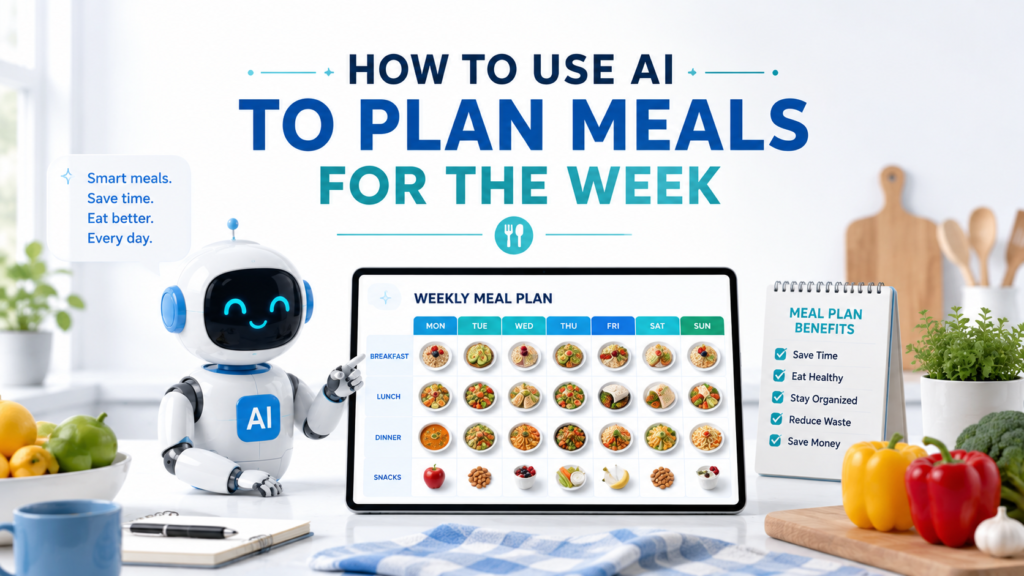
Planning meals for an entire week can save time, but deciding what to eat every day can become another task on your already busy list. You may need to consider ingredients you already have, family preferences, busy evenings, leftovers, cooking time, and your food budget.
One practical solution is to use AI to plan meals for the week. Instead of asking AI to randomly suggest seven dinners, you can give it information about your household, schedule, available ingredients, preferences, and cooking habits. AI can then help you organize those details into a meal plan that you can review and adjust.
The goal is not to let AI decide what you should eat. Think of it as a brainstorming and planning assistant that helps reduce the time you spend figuring out what to make.
Here is a simple way to get started.
Why Use AI to Plan Meals for the Week?
Meal planning involves more decisions than it may seem.
You might need to answer questions such as:
- What ingredients do I already have?
- Which foods should I use before they spoil?
- Which nights will I have time to cook?
- When do I need a quick meal?
- Can one ingredient be used in several meals?
- Can leftovers become another meal?
- Which meals will my household actually eat?
AI can help organize this information quickly.
For example, instead of starting with a blank page, you could tell AI that you have chicken, rice, pasta, carrots, eggs, and frozen vegetables and ask for several meal ideas that reuse those ingredients.
This approach also matches practical meal-planning guidance from USDA MyPlate, which recommends checking foods you already have, mapping out meals for the week, considering your schedule, and planning for leftovers.
Step 1: Check What Food You Already Have
Before asking AI to create a meal plan, look in your refrigerator, freezer, and pantry.
Make a simple list.
For example:
I currently have chicken breasts, eggs, brown rice, pasta, frozen broccoli, carrots, onions, canned beans, tortillas, oatmeal, yogurt, and apples.
Then ask:
Suggest meal ideas that use several of these ingredients. Do not create the full weekly plan yet.
This gives you a chance to see whether AI understands the ingredients before moving on.
Using food you already have can also help reduce unnecessary purchases and food waste. USDA meal-planning guidance specifically recommends checking your freezer, cabinets, and refrigerator before planning the week.
Step 2: Tell AI How Many People You Are Feeding
A meal plan for one person will look different from a plan for a family of five.
Tell AI:
- How many people you are planning for
- Whether you need breakfast, lunch, dinner, or all three
- Whether children are included
- Whether everyone normally eats the same meals
For example:
I am planning dinners for two adults and two children for seven days. I only need dinner ideas, not breakfast or lunch.
That single detail prevents AI from creating far more information than you need.
Step 3: Add Your Food Preferences
AI needs to know what you actually like.
You might say:
We like chicken, pasta, rice bowls, tacos, soups, and simple vegetable dishes. We prefer familiar meals and do not want anything extremely spicy.
You can also mention foods you simply do not enjoy.
For example:
Do not suggest mushrooms or seafood because nobody in the household likes them.
The clearer your preferences are, the less time you will spend rejecting suggestions later.
If you are still learning how to give an AI assistant clear instructions, How to Write AI Prompts: A Simple Beginner’s Guide explains how useful context and specific requests can improve AI responses.
Step 4: Include Dietary Requirements Carefully
If your household follows a particular eating pattern or has ingredient restrictions, include that information when asking for meal ideas.
For example:
Suggest vegetarian dinner ideas using beans, lentils, eggs, vegetables, rice, and pasta.
Or:
I want meal ideas that do not include peanuts.
However, be especially careful when allergies, medical conditions, or medically prescribed diets are involved.
AI can make mistakes, misunderstand ingredients, or overlook important details. Do not rely on an AI-generated meal plan as medical or allergy-safety advice. Check food labels and appropriate professional guidance when health or safety is involved.
For ordinary meal planning, AI can help organize your preferences. For medical nutrition decisions, use qualified professional advice.
Step 5: Tell AI About Your Weekly Schedule
Not every evening gives you the same amount of cooking time.
Perhaps Monday is quiet, Tuesday has an evening activity, Wednesday is your busiest day, and Saturday gives you more time to cook.
Tell AI.
For example:
Monday and Thursday are normal evenings. Tuesday and Wednesday are busy, so dinner should take about 20 minutes or use leftovers. Friday can be casual. I have more time to cook on Saturday and Sunday.
Now AI can match meal complexity to your actual week.
This is one of the biggest advantages of planning meals instead of simply collecting recipes.
If your week itself feels disorganized, How to Use AI to Create a Weekly Schedule shows how to organize commitments and priorities across multiple days.
Step 6: Ask AI to Create the First Meal Plan
Once AI knows your ingredients, household size, preferences, and schedule, ask it to create the first version.
For example:
Create a seven-day dinner plan using the information I provided. Reuse ingredients when practical, use leftovers on one busy night, and keep Tuesday and Wednesday meals especially simple. Give me only the meal name and a short description for each day.
This last instruction helps control the output.
You probably do not need seven full recipes before you have even decided whether you like the meal plan.
Review the basic plan first.
Weak Prompt vs. Better Prompt
Weak Prompt
Plan my meals for the week.
AI has very little information.
It may suggest meals you dislike, recipes that take too long, ingredients you do not have, or a plan that does not match your schedule.
Better Prompt
Plan seven dinners for two adults and two children. We like chicken, pasta, rice bowls, tacos, beans, and simple vegetables. I already have chicken breasts, rice, pasta, eggs, carrots, onions, frozen broccoli, and canned beans. Tuesday and Wednesday are busy, so those dinners should take about 20 minutes or use leftovers. Saturday can involve more cooking. Reuse ingredients when practical and give me only the meal name and a short description for each day.
The second prompt gives AI a much better understanding of the assignment.
OpenAI recommends being clear and specific and providing enough context when prompting ChatGPT, then refining the request based on the response.
Step 7: Ask AI to Reuse Ingredients
Using one ingredient in several meals can make weekly planning more practical.
For example, cooked chicken might appear in:
- Chicken and rice bowls
- Chicken tacos
- Pasta with chicken and vegetables
Vegetables might be used in a stir-fry one night and added to soup or pasta later.
Try:
Revise the meal plan so that major ingredients can be used in more than one meal when practical. Avoid making every dinner feel identical.
USDA MyPlate also suggests choosing ingredients that can be used in multiple recipes as a way to save money and reduce food waste.
The goal is not to eat the same meal every night. It is to use ingredients efficiently.
Step 8: Plan Leftovers Intentionally
Leftovers do not have to be accidental.
You can deliberately cook enough food one night to make another meal easier.
For example:
Make Monday’s dinner large enough to provide leftovers for Tuesday. Suggest a simple way to serve the leftovers differently on Tuesday so the meals do not feel exactly the same.
A large batch of roasted chicken and vegetables might become a rice bowl, wrap, or another simple meal later.
USDA MyPlate recommends making leftovers part of the weekly plan and notes that preparing enough of a dish for multiple meals can save time and money.
Step 9: Ask for Quick Meals on Busy Days
AI becomes more useful when your prompt reflects your real schedule.
Suppose Wednesday is your busiest day.
Instead of simply asking for “easy meals,” give AI a specific limit:
Wednesday is my busiest night. Suggest a dinner from my existing meal plan that requires no more than about 20 minutes of active preparation.
Or:
Replace Thursday’s dinner with something simpler that uses ingredients already planned for the week.
Specific constraints usually produce more useful suggestions than vague instructions such as “make it easy.”
Step 10: Adjust the Plan to Your Budget
You can also tell AI that cost matters.
For example:
Revise this meal plan to rely more on affordable staples such as rice, pasta, beans, eggs, and frozen vegetables. Reuse ingredients and avoid buying a unique ingredient for only one meal unless it is essential.
You can also provide an approximate budget if that is useful, but remember that AI may not know current prices at your local grocery store.
Do not assume an AI-generated cost estimate is accurate.
USDA’s budget guidance recommends planning meals for the week, buying what you need, using affordable staples, and avoiding overbuying foods that may be thrown away.
Use AI for planning ideas, but use actual store prices when making purchasing decisions.
Step 11: Ask AI to Simplify the Plan
Sometimes AI produces a meal plan that looks impressive but requires too much cooking.
Tell it to simplify.
For example:
This plan requires too much cooking. Keep the same general meals, but make two nights leftovers and make two other dinners simple enough for a busy weekday.
Or:
Reduce the number of different ingredients needed across the week while keeping reasonable variety.
This is why your first AI-generated plan should be treated as a draft.
You are not obligated to follow it.
Step 12: Replace Meals You Do Not Like
You do not need to regenerate the entire week because one meal does not work.
Suppose AI suggests a meal for Thursday that your family will not eat.
Say:
Keep the rest of the plan unchanged. Replace only Thursday’s dinner with a chicken or pasta meal using ingredients already included elsewhere in the week.
This is faster and gives AI clearer boundaries.
It also demonstrates why follow-up prompts are so useful. How to Ask AI Better Questions: 10 Simple Tips for Better Answers can help when you want to refine an answer instead of starting over.
Step 13: Ask for Recipes Only After You Approve the Plan
First decide whether you like the seven meals.
Then ask for more detail.
For example:
I like this meal plan. Give me a simple recipe for Monday’s dinner for four people, including ingredients, approximate quantities, and step-by-step instructions.
Then review the recipe carefully.
AI-generated cooking instructions can contain mistakes, so use normal food-safety practices and verify anything that seems questionable.
This is especially important for cooking temperatures, food storage, allergies, and other safety-related information.
A Reusable Weekly Meal Planning Prompt
Here is a template you can adapt:
Help me create a meal plan for the week.
Number of people:
[Number]Meals needed:
[Breakfast, lunch, dinner, or specific meals only]Foods I already have:
[List ingredients]Foods we like:
[List preferences]Foods to avoid:
[List foods you do not want]Busy days:
[List days when meals should be especially quick]Cooking preferences:
[Simple meals, batch cooking, leftovers, etc.]Budget considerations:
[Optional]Create a seven-day meal plan using these preferences. Reuse ingredients when practical, include leftovers where useful, and keep busy-day meals simple. Start with meal names and short descriptions only. Do not create a grocery list yet.
That final sentence is intentional.
First make sure you like the meal plan. After the plan is finalized, you can create a shopping list from it.
Practical Example: From Ingredients to a Seven-Day Plan
Imagine you have the following ingredients:
- Chicken
- Eggs
- Rice
- Pasta
- Canned beans
- Frozen broccoli
- Carrots
- Onions
- Tortillas
You could ask:
I need seven dinners for two adults. I already have chicken, eggs, rice, pasta, canned beans, frozen broccoli, carrots, onions, and tortillas. Monday and Thursday can involve normal cooking. Tuesday and Wednesday need to be quick. Friday should be casual. I have more time on the weekend. Create a seven-day dinner plan that reuses ingredients and intentionally includes leftovers once.
Suppose you like most of the result but Wednesday’s suggestion sounds too complicated.
Follow up:
Keep every other day unchanged. Replace Wednesday with a meal that uses leftovers from Tuesday and takes less than 15 minutes to assemble.
Then perhaps Saturday requires an ingredient you do not want to buy:
Replace Saturday’s meal with something that uses ingredients already needed for the other meals.
This back-and-forth process is often much more useful than expecting AI to create the perfect meal plan in one attempt.
Common Mistakes When Using AI for Meal Planning
Giving AI Too Little Information
“Plan my meals” leaves too many unanswered questions.
Include household size, preferences, available ingredients, and schedule when they matter.
Asking for Too Much at Once
You do not necessarily need a meal plan, detailed recipes, calorie calculations, preparation instructions, and a shopping list in the first response.
Start with the weekly plan and build from there.
Ignoring Ingredients You Already Have
Planning around your refrigerator, freezer, and pantry can help reduce unnecessary purchases and waste.
Making Every Night a New Recipe
Seven completely different meals may require too many ingredients and too much preparation.
Reuse ingredients and plan leftovers where appropriate.
Trusting AI Nutrition or Allergy Information Automatically
AI can make mistakes.
Be particularly careful with medical diets, food allergies, cooking safety, and other health-related decisions.
Accepting Meals Your Household Will Not Eat
A meal plan only works if it fits the people using it.
Replace unrealistic suggestions instead of following them just because AI generated them.
Keep Meal Planning and Grocery Planning Separate
Meal planning and grocery planning are closely connected, but they solve different problems.
The meal plan answers:
“What are we planning to eat?”
The grocery list answers:
“What do we need to buy?”
Finalize the meals first.
Then identify the ingredients required for those meals, compare them with what you already have, and create the shopping list.
Keeping these steps separate makes it easier to change a meal without rebuilding everything else.
Use AI as a Meal-Planning Assistant
AI is most useful when it helps organize decisions that you still control.
You decide:
- Which meals sound appealing
- What your household will eat
- How much cooking you want to do
- Which ingredients fit your budget
- Whether leftovers work for you
- Whether a recipe is appropriate
- Whether health or safety information needs professional verification
AI can quickly generate options and reorganize them when your needs change.
That can make meal planning faster without giving up your judgment.
Final Takeaway
Learning how to use AI to plan meals for the week can make a repetitive household task easier to organize.
Start with what you already have. Tell AI how many people you are feeding, what meals you need, what foods you like, which days are busy, and any practical limits that matter.
Then ask for a simple seven-day plan.
Review it, replace meals you do not want, reuse ingredients when practical, and intentionally plan leftovers for busy days. Once the weekly meals make sense, you can move on to recipes and shopping.
The goal is not to have AI create a perfect menu for you. The goal is to use AI as a flexible planning assistant that helps you make a realistic meal plan with less effort.