
Introduction
AI can give you surprisingly useful answers, but the quality of those answers often depends on how you communicate with it.
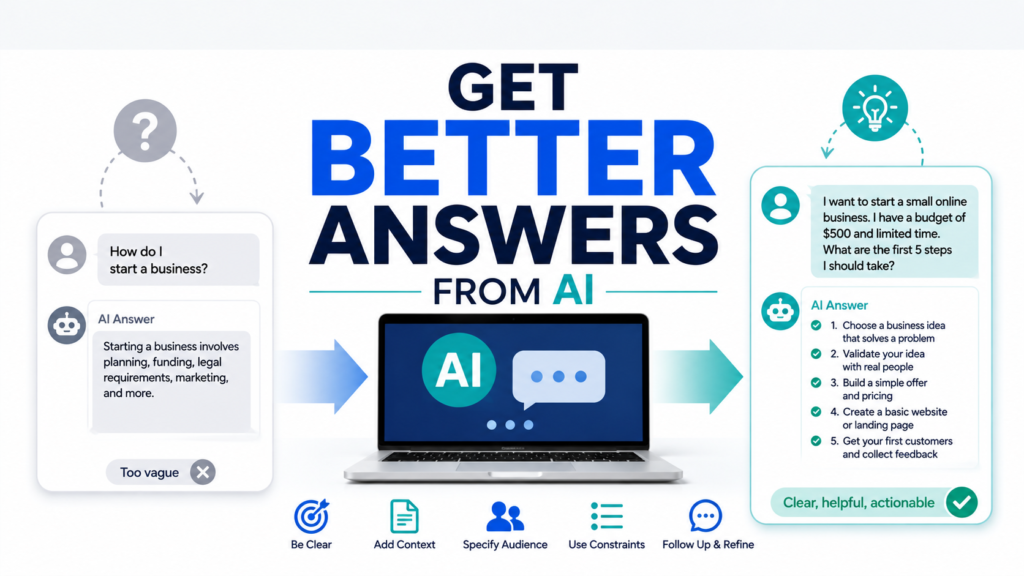
Learning how to get better answers from AI does not require technical skills or complicated prompt formulas. In many cases, a few small changes to your question can make a big difference.
Instead of asking AI a short, vague question and accepting the first response, you can provide context, explain what you want, request a specific format, and continue the conversation with follow-up questions.
This guide shows beginners practical ways to get clearer, more useful, and more relevant answers from AI.
1. Start With a Clear Question
AI cannot read your mind.
If your question is vague, AI has to guess what you mean.
For example:
“Help me with dinner.”
This could mean recipes, restaurant recommendations, grocery shopping, meal planning, or something else entirely.
A clearer prompt would be:
“Give me five easy dinner ideas for two people that take less than 30 minutes to prepare.”
Now AI understands the task much better.
When possible, tell AI exactly what you want it to help you accomplish.
2. Give AI Useful Context
Context helps AI understand your situation.
Suppose you ask:
“Help me plan a trip.”
AI does not know where you are going, how long you are staying, your budget, or what you enjoy doing.
A better prompt might be:
“I’m planning a three-day trip to Chicago for two adults. We enjoy museums, local food, and walking. Create a simple itinerary for a moderate budget.”
The additional information gives AI something useful to work with.
But context does not mean sharing everything about yourself.
Provide information relevant to the task while avoiding unnecessary personal or sensitive details.
3. Tell AI Who the Answer Is For
The same information can be explained very differently depending on the audience.
For example:
“Explain artificial intelligence.”
could produce a general explanation.
Instead, try:
“Explain artificial intelligence to someone who has never used an AI tool before. Avoid technical terminology.”
You could also say:
“Explain this to a 12-year-old.”
or:
“Explain this for a small-business owner with no technical background.”
Specifying the audience helps AI choose the appropriate vocabulary, detail, and tone.
4. Tell AI What Format You Want
AI answers become easier to use when you specify the format.
You can request:
- A checklist
- A table
- Step-by-step instructions
- A short summary
- Bullet points
- An email
- A weekly schedule
- Questions and answers
For example:
“Explain how to organize digital photos.”
can become:
“Give me a five-step checklist for organizing digital photos on my computer.”
The second prompt tells AI not only what information you want, but also how you want it presented.
5. Add Useful Constraints
Constraints help narrow an answer.
Suppose you ask:
“Give me healthy lunch ideas.”
You may receive suggestions that take too long, cost too much, or require ingredients you do not have.
Instead, try:
“Give me five simple lunch ideas that cost about $5 per serving, take less than 15 minutes to prepare, and do not require an oven.”
Useful constraints can include:
- Budget
- Time
- Length
- Number of options
- Skill level
- Available ingredients
- Tools you have
- Things you want to avoid
The goal is not to make your prompt complicated.
It is to give AI the information that actually affects the answer.
6. Compare a Weak Prompt With a Better Prompt
Small improvements can dramatically change an AI response.
Weak prompt:
“Write an email.”
Better prompt:
“Write a friendly but professional email to a customer explaining that their order will arrive two days late. Apologize briefly, keep the email under 150 words, and end by thanking them for their patience.”
The better prompt provides:
- The purpose
- The audience
- The tone
- The important information
- The desired length
Learning how to write AI prompts can make this process easier and help you build better instructions naturally.
7. Ask AI to Improve Its First Answer
You do not have to accept the first response.
This is one of the easiest ways beginners can get better results.
After receiving an answer, try follow-up prompts such as:
“Make this simpler.”
“Give me a more practical example.”
“Explain step 3 in more detail.”
“Make the tone friendlier.”
“Give me three alternatives.”
“Turn this into a checklist.”
AI conversations work best when you treat the first response as a starting point rather than the finished product.
8. Tell AI What Was Wrong With the Answer
If AI gives you an answer you do not like, simply asking it to “try again” may not solve the problem.
Tell it what needs improvement.
For example:
“This is too technical. Rewrite it using everyday language.”
or:
“These ideas are too expensive. Give me alternatives under $50.”
or:
“The answer is too long. Reduce it to five main points.”
Specific feedback gives AI clearer instructions for the next response.
9. Ask for Several Options
AI is particularly useful for generating alternatives.
Instead of asking:
“What should the title be?”
try:
“Give me 10 possible titles. Make five straightforward and five more conversational.”
Instead of:
“What should I cook?”
try:
“Give me five dinner options using chicken, rice, and vegetables. Rank them from easiest to most time-consuming.”
Multiple options let you compare ideas rather than depending on one AI recommendation.
10. Ask AI to Explain Its Assumptions
Sometimes AI makes assumptions because your prompt does not contain enough information.
You can make those assumptions easier to notice.
Try:
“Before answering, tell me what assumptions you are making.”
For example, if you ask AI to create a monthly budget, it might make assumptions about transportation, food costs, or housing.
Knowing those assumptions helps you decide whether the answer actually fits your situation.
11. Ask AI What Information It Needs
You do not always have to figure out the perfect prompt yourself.
If you are unsure what details matter, ask AI.
For example:
“I want you to help me create a weekly meal plan. Before creating it, ask me the five most important questions you need answered.”
AI might ask about:
- Number of people
- Budget
- Dietary restrictions
- Cooking time
- Food preferences
Once you answer those questions, it can create a more personalized result.
This technique is especially useful for complicated tasks.
12. Break Complicated Tasks Into Smaller Steps
Large requests can produce generic or incomplete answers.
Instead of asking AI to complete everything at once, divide the task into stages.
For example, instead of:
“Help me start a small business.”
you could begin with:
“Give me five low-cost business ideas that could be started from home.”
Then:
“Compare ideas 2 and 4 based on startup cost, difficulty, and potential customers.”
Then:
“Create a simple 30-day action plan for idea 4.”
Breaking the problem into smaller pieces gives you more control over the direction of the conversation.
13. Ask for Examples
If an explanation feels abstract, ask AI to show you what it means.
Try:
“Give me a real-world example.”
“Show me a beginner-friendly example.”
“Give me a weak example and a better example.”
“Show me what the finished result might look like.”
Examples are especially useful when learning unfamiliar concepts.
They turn general advice into something you can actually see and apply.
14. Ask AI to Check Its Own Answer
AI cannot guarantee that its own fact-checking will catch every mistake, but asking it to review its response can sometimes reveal weaknesses.
For example:
“Review your previous answer. Identify any claims that may need verification.”
or:
“Which parts of this answer are you least certain about?”
Then independently verify important information.
For factual questions that matter, check if an AI answer is accurate rather than relying only on AI’s self-review.
15. Ask for Reliable Sources When Facts Matter
If you are using AI for factual research, ask where the information comes from.
For example:
“Provide reliable primary sources for the main factual claims in this answer.”
Or:
“Give me official sources I can use to verify this information.”
Knowing how to ask AI for reliable sources can make AI much more useful for research.
However, do not assume every citation is correct.
Open the source yourself and confirm that it actually supports the claim.
16. Do Not Share Sensitive Information Just to Get a Better Answer
More context can improve an AI response, but that does not mean you should provide private information unnecessarily.
AI usually does not need passwords, Social Security numbers, banking credentials, passport numbers, or other highly sensitive details to help with an everyday task.
Replace identifying details with placeholders when possible.
For example:
“Rewrite this letter from [Customer Name] about account [Account Number].”
This gives AI enough structure without exposing the real information.
Learning how to protect your privacy when using AI is part of becoming a better AI user.
17. Verify Important Answers
A better prompt can produce a better answer.
But it cannot guarantee a correct answer.
AI can still provide outdated, incomplete, or inaccurate information even when your prompt is excellent.
The more important the information, the more carefully you should verify it.
This is especially important for:
- Health
- Finance
- Legal matters
- Taxes
- Safety
- Current regulations
- Major purchases
Use AI to help you understand and organize information, then verify important facts using trustworthy sources.
A Simple Prompt Formula for Beginners
You do not need to memorize a complicated prompting system.
A useful beginner formula is:
Task + Context + Constraints + Format
For example:
Task: Create a weekly dinner plan.
Context: Two adults who prefer simple meals.
Constraints: $80 budget, 30 minutes or less per meal.
Format: Seven-day table with meal, ingredients, and estimated preparation time.
Put together, the prompt becomes:
“Create a seven-day dinner plan for two adults who prefer simple meals. Keep the grocery budget around $80 and each meal under 30 minutes. Present the plan as a table with the meal, main ingredients, and estimated preparation time.”
That is specific enough to guide AI without becoming unnecessarily complicated.
Final Thoughts
Getting better answers from AI is less about discovering a secret prompt and more about communicating clearly.
Explain what you want.
Provide relevant context.
Add useful constraints.
Request the format you need.
Then use follow-up questions to improve the result.
Most importantly, remember that a better AI answer is not automatically a verified answer.
Use AI as a flexible assistant, keep control of the conversation, and check important information before acting on it.
With practice, these simple habits can make AI dramatically more useful in everyday life.