
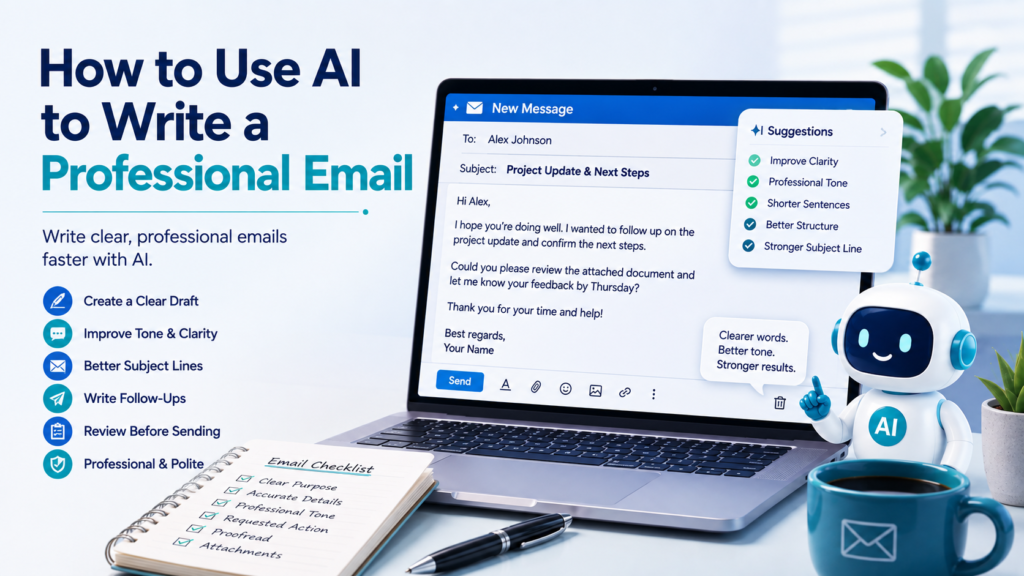
Writing a professional email can feel harder than it should. You may know exactly what you want to say but struggle with how to begin, how formal to sound, how much detail to include, or how to make a request without sounding too demanding.
AI can help with each of these problems.
Learning how to use AI to write a professional email does not mean asking AI to invent an entire conversation for you. A better approach is to give AI your real purpose, essential facts, preferred tone, and desired outcome, then use it to create or improve a draft.
The final email should still sound like you, contain accurate information, and communicate exactly what you intend.
Why Use AI to Write a Professional Email?
Professional emails often require several small decisions at once.
| Email Challenge | How AI Can Help |
|---|---|
| Unsure how to start | Create a first draft |
| Message feels disorganized | Improve structure |
| Tone sounds too casual | Make it more professional |
| Email is too long | Remove unnecessary wording |
| Request sounds too strong | Make it polite but clear |
| Subject line is vague | Suggest specific alternatives |
| No response received | Draft a follow-up |
| Important message | Create a final review checklist |
AI is most useful when you provide the facts and let it help with the communication.
Step 1: Define the Purpose Before Writing
Before asking AI to draft anything, answer one question:
What should happen after the recipient reads this email?
Maybe you want the person to:
- Answer a question
- Approve something
- Schedule a meeting
- Send a document
- Confirm a deadline
- Review your work
- Provide an update
- Take a specific action
A vague prompt might be:
Write a professional email about our project.
A better prompt is:
Write a professional email to a colleague asking them to confirm whether the final project files will be ready by Thursday. I need the confirmation so I can prepare for Friday’s review meeting.
Now AI understands both the message and its purpose.
Step 2: Give AI the Essential Facts
AI should help communicate your facts—not create new ones.
Before drafting, provide the important information.
For example:
Recipient: Project colleague
Purpose: Confirm delivery date
Expected date: Thursday
Reason: Friday review meeting
Tone: Friendly and professional
Desired action: Reply with confirmation or updated timing
Then ask:
Sample Prompt:
Using only the information below, draft a concise professional email. Do not invent names, dates, commitments, reasons, or project details that I did not provide.
This instruction is particularly useful for business communication because an invented detail can create a real misunderstanding.
Step 3: Ask AI for a Clear First Draft
Once AI has enough context, ask for the first draft.
A practical prompt is:
Draft a professional email using the information below. Keep it friendly, direct, and under 150 words. State the purpose early and end with a clear next step.
A good professional email often follows a simple structure:
Greeting → Purpose → Necessary Context → Requested Action → Closing
You usually do not need a complicated format.
The goal is to make the email easy to understand and easy to answer.
Step 4: Improve a Rough Email Instead of Starting Over
You do not always need AI to write the first draft.
Often, writing a rough version yourself and asking AI to improve it gives you more control over the message.
Suppose you write:
Hi Mark, need the numbers for meeting. Can you send them soon? We need them before Friday. Thanks.
You could ask:
Improve this email so it sounds professional and friendly. Keep my original meaning, do not add new facts, and keep it concise.
An improved version might be:
Hi Mark,
Could you please send the updated numbers before Friday’s meeting? Having them in advance will help me prepare for the discussion.
Thank you.
The message has not changed dramatically.
It is simply clearer and more professional.
Step 5: Adjust the Tone Without Changing the Meaning
Tone is one of the most useful areas for AI assistance.
You can ask AI to make an email:
- More professional
- Warmer
- More concise
- More confident
- More diplomatic
- More direct
- Less formal
- More appreciative
The important part is telling AI not to change the substance.
Sample Prompt:
Rewrite this email in a polite, professional, and confident tone. Preserve every factual detail and request. Do not make the message more apologetic or more demanding than the original.
This prevents a tone adjustment from accidentally changing your position.
Step 6: Make a Difficult Request More Professional
Some emails are uncomfortable to write.
You may need to:
- Ask someone to correct a mistake
- Request overdue information
- Decline a proposal
- Question a charge
- Ask for clarification
- Remind someone about a deadline
AI can help remove unnecessary emotion while keeping the request clear.
For example:
Original thought:
You still haven’t sent the report and now we’re behind.
Instead of asking AI to “make this nicer,” provide the communication goal:
Rewrite this as a professional follow-up. I need to communicate that the report has not been received and ask when it will be available. Keep the message neutral and do not assign blame.
The result might be:
I’m following up on the report, which I have not yet received. Could you let me know when I can expect it? The updated timing will help me plan the next steps.
The issue is still clear without making the email unnecessarily confrontational.
Step 7: Write Better Subject Lines
A professional email can be well written and still get overlooked because of a vague subject line.
Compare:
Vague:Question
Better:Question About Friday Project Review
Or:
Vague:Update
Better:Website Project Update — Approval Needed by Thursday
Ask AI:
Suggest five concise subject lines for this email. Make the purpose clear without sounding urgent unless the message actually is urgent.
Then choose the one that best represents the email.
Do not let AI manufacture urgency with phrases such as URGENT, Immediate Action Required, or Final Notice when the situation does not justify them.
Step 8: Make Long Emails Easier to Read
AI is useful for shortening emails that have grown too long.
Paste the draft and ask:
Shorten this email by about 30%. Preserve the main request, necessary context, dates, numbers, and deadlines. Remove repetition and unnecessary background information.
For an email containing several issues, ask AI to organize them.
For example:
Reorganize this email so the main purpose appears in the first paragraph. Use bullets only for the three items that require separate responses.
A useful rule is:
One clear purpose should be easy to find.
If the recipient has to reread the message to discover what you want, the email probably needs revision.
Step 9: Turn Notes Into a Professional Email
Sometimes you have the information but not a draft.
Your notes might look like this:
meeting Tuesday
need budget numbers
ask Lisa
need by Monday afternoon
Q3 project
thank her
Instead of organizing everything manually, ask:
Sample Prompt:
Turn these notes into a short professional email. I am asking Lisa to send the Q3 project budget numbers by Monday afternoon because I need them for Tuesday’s meeting. Keep the tone friendly and professional. Do not add any other reason or deadline.
This is where AI can save meaningful time: it converts information you already know into a usable structure.
If your starting information is especially scattered, How to Use AI to Organize Your Ideas can help you structure the important points before drafting the message.
Step 10: Draft a Professional Follow-Up Email
Follow-up emails are another common challenge.
You want to remind someone without sounding impatient.
A useful prompt is:
Draft a brief professional follow-up to the email below. I have not received a response. Restate the main request without assuming why the person has not replied. Keep the tone friendly and make the next step clear.
For example:
Hi Jordan,
I’m following up on my message below regarding the proposed meeting time. When you have a chance, could you let me know whether Tuesday at 2:00 PM works for you?
Thank you.
Notice what is missing:
- No accusation
- No invented explanation
- No unnecessary apology
- No artificial urgency
The email simply makes the next step clear.
Step 11: Ask AI to Make the Requested Action Obvious
Some emails contain so much background that the recipient may not know what they are expected to do.
Ask AI:
Identify the action I am asking the recipient to take. If it is not immediately clear, suggest a revision that makes the request explicit without sounding demanding.
For example:
Less clear:
We have been reviewing the proposal and have several things to finalize before next week.
Clearer:
Could you review the attached proposal and send your comments by Wednesday?
The second version gives the recipient something specific to do.
Step 12: Use AI to Prepare for an Important Email
For an important email, it may be better to plan before drafting.
Ask:
I need to write an email about [situation]. Before drafting it, help me identify:
- The main purpose
- Essential facts the recipient needs
- The action I want the recipient to take
- Information that may be unnecessary
- Potential wording that could be misunderstood
Then write or generate the draft.
This approach is particularly useful for sensitive workplace communication because it separates thinking from wording.
Step 13: Check Whether the Email Sounds Like You
AI-generated emails can sometimes sound overly polished, generic, or unnecessarily formal.
For example:
I hope this correspondence finds you in excellent spirits. I am reaching out to kindly inquire as to whether…
may technically sound professional, but it may not sound natural for you or your workplace.
Ask:
Make this email sound more natural while remaining professional. Use straightforward language and shorter sentences. Avoid clichés and overly formal phrases.
Professional does not have to mean stiff.
Clear, respectful language is usually more effective than impressive-sounding vocabulary.
Step 14: Check Important Facts Before Sending
AI can change details even when you did not ask it to.
Before sending an AI-assisted email, verify:
| Check | What to Review |
|---|---|
| Recipient | Correct person and address |
| Names | Correct spelling |
| Dates | Correct day and date |
| Times | Correct time and time zone |
| Numbers | Prices, amounts, percentages |
| Deadlines | Correct requested date |
| Attachments | Actually attached |
| Links | Correct destination |
| Commitments | Nothing promised accidentally |
| Request | Recipient knows what to do |
This is particularly important if AI rewrote a long or complicated email.
If an AI-generated statement seems questionable, How to Check If an AI Answer Is Accurate provides a broader process for verifying AI output before relying on it.
Step 15: Create a Final Email Review Checklist
Before pressing Send, ask AI:
Create a final review checklist for this email. Focus on recipient, purpose, tone, factual accuracy, requested action, dates, attachments, links, spelling, and unnecessary information.
A simple checklist might be:
- ☐ Correct recipient
- ☐ Clear subject line
- ☐ Purpose appears early
- ☐ Names and dates verified
- ☐ Requested action is clear
- ☐ Tone fits the situation
- ☐ Attachments included
- ☐ Links checked
- ☐ Unnecessary information removed
- ☐ Final proofreading complete
For reusable workflows like this, How to Use AI to Create Checklists explains how to create and improve practical checklists for recurring tasks.
Step 16: Be Careful With Sensitive Email Content
Professional emails may contain information that should not be casually pasted into an AI service.
Examples include:
- Customer information
- Employee information
- Account numbers
- Financial records
- Medical information
- Contracts
- Confidential company plans
- Passwords or credentials
- Private communications
Before providing email content to an AI tool, ask whether the tool actually needs those details.
You can often replace identifying information:
John Smith → Client A
$127,450 contract with Company X → contract amount
Account 123456789 → customer account
Also check your employer’s AI policies and the privacy/data settings of the service you are using. The FTC has specifically discussed how users and businesses may disclose sensitive or confidential information to AI services and why providers’ privacy and confidentiality commitments matter.
FTC guidance on AI privacy and confidentiality provides useful background before using AI with sensitive professional communication.
Step 17: Know When AI Should Not Write the Final Message for You
AI assistance is useful, but some emails deserve additional care.
Examples include messages involving:
- Legal disputes
- Employee discipline
- Termination
- Serious complaints
- Medical matters
- Financial commitments
- Contractual obligations
- Confidential investigations
AI may help organize your thoughts or improve clarity, but it may not understand the legal, organizational, or personal consequences of the message.
For consequential communication, verify the facts carefully and seek appropriate professional or organizational guidance when necessary.
A Reusable Professional Email Prompt
Here is a template you can adapt:
Help me write a professional email.
Recipient or role:
[Who will receive it]Purpose:
[Why I am writing]Important facts:
[Facts the recipient needs]Requested action:
[What I want the recipient to do]Deadline, if any:
[Actual deadline]Tone:
[Friendly / professional / direct / diplomatic]Please:
- Write a clear subject line.
- State the purpose early.
- Include only necessary context.
- Make the requested action clear.
- Keep the email concise and natural.
- Preserve all names, dates, numbers, and commitments exactly as provided.
- Do not invent missing information.
- Put anything I need to verify in a separate note instead of guessing.
This prompt works for many everyday professional situations.
Before and After: Turning Rough Notes Into a Professional Email
Suppose you have:
Need report from Chris. Thursday meeting. Need report Wednesday so I can review. Ask if possible. Client update report.
Instead of trying to perfect every sentence, give AI the facts.
Sample Prompt:
Turn these notes into a concise professional email to Chris. Ask whether he can send the client update report by Wednesday because I need time to review it before Thursday’s meeting. Keep the tone friendly and professional. Do not add any other details.
Possible Draft
Subject: Client Update Report for Thursday’s Meeting
Hi Chris,
Could you please send the client update report by Wednesday, if possible? I’d like to have time to review it before Thursday’s meeting.
Thanks for your help.
The AI did not invent a project history, excuse, or additional deadline.
It simply transformed your information into a clearer message.
Common Mistakes When Using AI to Write Professional Emails
| Common Mistake | Better Approach |
|---|---|
| Asking AI to write with almost no context | Provide purpose, facts, and requested action |
| Sending the first AI draft immediately | Review and personalize it |
| Making every email overly formal | Use natural professional language |
| Letting AI invent details | Explicitly prohibit unsupported facts |
| Hiding the request in a long message | Make the desired action obvious |
| Creating false urgency | Use urgency only when it is real |
| Forgetting attachments | Use a final checklist |
| Pasting confidential information unnecessarily | Remove or generalize sensitive details |
Improve the Draft With Follow-Up Prompts
You rarely need to regenerate the entire email.
Instead, improve the existing draft with targeted requests:
Make this 20% shorter.
Make the request clearer.
Make the tone warmer without becoming casual.
Remove unnecessary apologies.
Make this less formal but still professional.
Move the main purpose to the first paragraph.
Give me three better subject lines.
Check whether any sentence could sound accusatory.
Identify any facts I should verify before sending.
This approach gives you more control over the final message.
Final Takeaway
Learning how to use AI to write a professional email can help you communicate more clearly without spending unnecessary time trying to find the perfect wording.
Start with your purpose.
Give AI the facts it actually needs, explain what you want the recipient to do, and specify the appropriate tone. Use AI to create a first draft, improve a rough message, shorten unnecessary wording, develop subject lines, or prepare a professional follow-up.
Then review the result yourself.
Verify names, dates, numbers, deadlines, attachments, links, and commitments. Remove unnecessary sensitive information before sharing email content with an AI service, and make sure the final message still reflects what you genuinely intend to say.
The best AI-assisted email should not sound like AI wrote it.
It should sound like you communicated your message clearly, professionally, and efficiently.