
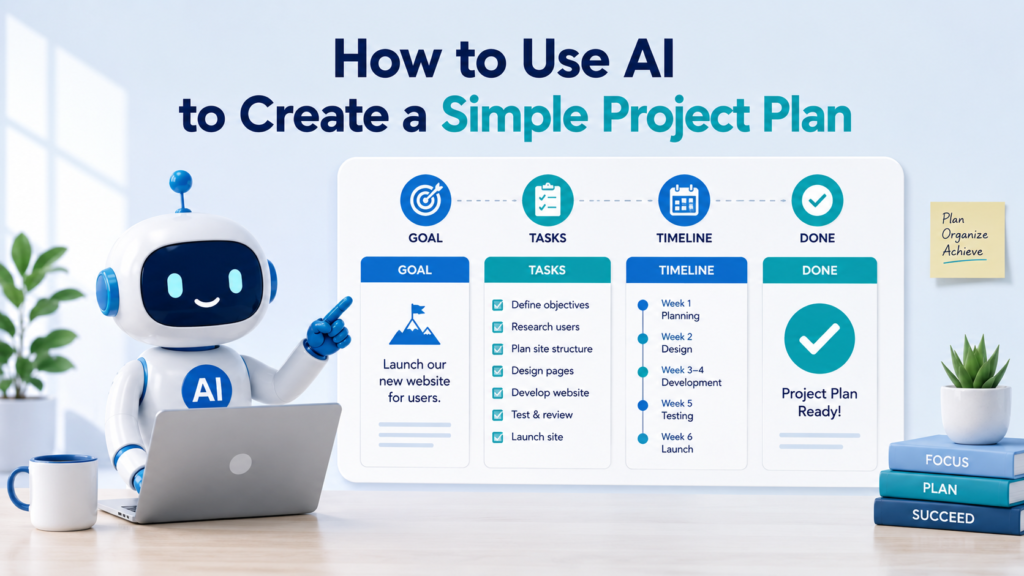
A project can start with a simple idea: organize a family event, redesign a room, launch a small website, create a newsletter, prepare a presentation, or complete a work assignment.
The idea may be clear in your head, but turning it into an actual plan can be difficult. What needs to happen first? Which tasks depend on other tasks? Who is responsible? How long might the work take? What could cause delays?
Learning how to use AI to create a simple project plan can make this process easier.
AI can help turn a broad goal into milestones, tasks, priorities, responsibilities, deadlines, and next steps. But AI should help organize the information you provide—not invent budgets, people, deadlines, or requirements that do not exist.
For everyday projects, you usually do not need a complicated project-management system. You need a clear plan that answers a few practical questions: What are we trying to accomplish? What needs to be done? Who will do it? When should it happen? And what could get in the way?
Why Use AI to Create a Simple Project Plan?
A project plan is more than a long to-do list.
A useful plan connects the goal to the work required to achieve it.
| Project Question | How AI Can Help |
|---|---|
| What are we trying to accomplish? | Clarify the project goal |
| What needs to be produced? | Identify deliverables |
| What work needs to happen? | Break the project into tasks |
| What should happen first? | Organize tasks logically |
| What are the major checkpoints? | Identify milestones |
| Who is doing what? | Organize responsibilities |
| When should things happen? | Build a basic timeline |
| What could cause problems? | Identify possible risks |
| What should happen next? | Create immediate action items |
Professional project-management guidance follows many of the same fundamentals. Atlassian describes project planning as defining objectives, scope, activities, schedules, resources, risks, dependencies, and responsibilities rather than simply creating a list of tasks.
For a small everyday project, however, you can keep the structure much simpler.
Step 1: Start With the Project Goal
Do not begin by asking AI to generate dozens of tasks.
Start with the outcome.
A vague project goal might be:
Improve the home office.
What does “improve” mean?
A better description is:
Reorganize my home office so I have a cleaner workspace, better storage, improved lighting, and less visible clutter.
Now AI has something specific to work with.
Sample Prompt:
Help me turn this project idea into one clear project goal. Describe the desired result in one or two sentences. Do not add goals or requirements that I did not mention.
Project idea: [describe your project]
If you are still working through scattered possibilities, How to Use AI to Organize Your Ideas can help you group and clarify them before creating the project plan.
Step 2: Define What “Finished” Means
A project becomes easier to plan when you know what completion looks like.
Suppose your goal is:
Prepare the guest room before family visits next month.
What does finished mean?
Perhaps:
- Room cleaned
- Closet space cleared
- Fresh bedding prepared
- Broken lamp replaced
- Basic guest supplies available
These are deliverables or completion conditions.
Ask AI:
Based on the project goal below, help me identify the specific results that would indicate the project is complete. Do not invent requirements. Put uncertain suggestions in a separate Optional Ideas section.
This prevents the project from expanding indefinitely.
Step 3: Separate Must-Haves From Nice-to-Haves
AI can easily generate more ideas than you need.
Imagine a simple home-office project. AI might suggest new furniture, cable management, lighting, artwork, storage, painting, soundproofing, plants, smart devices, and more.
Suddenly, a weekend project becomes a renovation.
Ask:
Separate these project ideas into Must Have, Helpful, and Optional. Base the categories on the project goal I provided. Explain anything that is uncertain.
This helps protect the project’s scope.
| Priority | Meaning |
|---|---|
| Must Have | Required to achieve the goal |
| Helpful | Improves the result but is not essential |
| Optional | Can be added if time and resources allow |
The goal is not to make the project bigger.
It is to make the path to completion clearer.
Step 4: Break the Project Into Major Parts
Before creating individual tasks, divide the project into larger sections or phases.
For a small family event, the phases might be:
- Planning
- Guest coordination
- Food
- Supplies
- Setup
- Event day
- Cleanup
For a home project:
- Measure and assess
- Decide what is needed
- Purchase supplies
- Complete the work
- Final cleanup and review
Sample Prompt:
Break this project into 4–7 logical phases. Keep the structure simple enough for a beginner. Do not create detailed tasks yet.
Starting with phases prevents you from immediately getting lost in dozens of small actions.
Step 5: Turn Each Phase Into Tasks
Now ask AI to break each phase into manageable actions.
Suppose one phase is:
Prepare Guest Room
AI might break it into:
- Remove unnecessary items
- Clear closet space
- Wash bedding
- Make the bed
- Clean surfaces
- Vacuum floor
- Check lighting
- Prepare towels
Ask:
Break each project phase into specific tasks. Begin each task with an action verb. Keep tasks small enough to understand clearly but avoid unnecessary micro-steps.
This is where the project begins turning into something you can actually execute.
For projects where you primarily need help breaking goals into manageable actions, How to Use AI to Make a To-Do List provides a useful companion process.
Step 6: Put Tasks in the Right Order
A list of tasks is not automatically a project plan.
Some tasks must happen before others.
For example:
Measure space → Choose shelves → Buy shelves → Install shelves
Installing the shelves cannot happen before you know what size to buy.
Ask AI:
Sample Prompt:
Put these project tasks in a logical order. Identify tasks that depend on another task being completed first. Do not invent dependencies when the order does not matter.
You can ask AI to mark dependencies:
| Task | Depends On |
|---|---|
| Measure wall | None |
| Select shelving | Measure wall |
| Purchase shelving | Select shelving |
| Install shelving | Purchase shelving |
This can help prevent delays caused by doing things in the wrong sequence.
Step 7: Identify Project Milestones
Tasks describe work.
Milestones mark meaningful points of progress.
For example:
Project: Prepare a small family event
Possible milestones:
- Guest list finalized
- Location confirmed
- Food plan completed
- Supplies purchased
- Setup completed
- Event held
Asana describes milestones as significant moments in a project’s timeline that help show whether important stages or deadlines are being reached.
Ask AI:
Identify 3–6 meaningful milestones for this project. A milestone should represent an important completed stage, not every individual task.
Keeping the number small makes milestones useful rather than distracting.
Step 8: Build a Realistic Timeline
AI can organize dates, but it does not automatically know how long your real-world tasks will take.
If you know the final deadline, provide it.
For example:
The project must be finished by October 15. I can work on it mainly on weekends.
Then ask:
Create a draft timeline for these tasks and milestones. Work backward from October 15. Clearly label all timing estimates as suggestions unless I provided a confirmed date.
That final sentence matters.
You do not want an AI-generated estimate to look like a confirmed commitment.
A simple timeline might look like:
| Timeframe | Main Focus |
|---|---|
| Week 1 | Define needs and measurements |
| Week 2 | Compare options and purchase supplies |
| Week 3 | Complete main work |
| Week 4 | Finish remaining tasks and review |
Then adjust the schedule based on your actual availability.
Step 9: Assign Responsibilities
If more than one person is involved, each important task should have a clear owner.
Instead of:
Decorations — Sarah and Mike
consider identifying one primary owner when possible:
Decorations — Sarah
Mike can still help, but one person knows they are responsible for making sure the task moves forward.
Asana’s project-management guidance similarly recommends clear task ownership and due dates so people know what they are responsible for and when the work is expected.
Ask:
Organize these tasks by responsible person using only the names and responsibilities I provide. If no owner has been assigned, write “Unassigned” instead of choosing someone.
That prevents AI from assigning work to people on its own.
Step 10: Create a Simple Project Plan Table
Now combine the information into one practical view.
For a small project, you may only need:
| Task | Owner | Deadline | Status |
|---|---|---|---|
| Confirm requirements | Alex | Sept. 3 | Not started |
| Gather supplies | Jamie | Sept. 7 | Not started |
| Complete setup | Alex | Sept. 12 | Not started |
| Final review | Alex + Jamie | Sept. 13 | Not started |
For a slightly more complicated project, add:
- Phase
- Priority
- Dependency
- Notes
Avoid adding ten columns just because AI can create them.
A simple project plan should reduce confusion, not create administrative work.
Step 11: Ask AI to Find Missing Steps
Once the first plan exists, ask AI to review it.
Do not immediately let AI rewrite everything.
Instead:
Sample Prompt:
Review this project plan for possible missing steps, unclear responsibilities, unrealistic sequencing, and unresolved dependencies. Do not change the plan. Put your suggestions in a separate Review Notes section.
This gives you control over what gets added.
AI might notice that you planned to install something but never included purchasing it, or that a final review occurs before a dependent task is finished.
You decide whether the suggestion is valid.
Step 12: Identify Possible Risks
Even small projects can run into problems.
Examples include:
- Supplies arrive late
- A participant becomes unavailable
- Costs are higher than expected
- Weather affects an outdoor event
- A task takes longer than expected
- Approval is delayed
- Important information is missing
Ask:
Identify realistic risks based only on this project plan. For each risk, suggest one simple preventive action or backup plan. Do not exaggerate unlikely problems.
You might create:
| Possible Risk | Simple Response |
|---|---|
| Supply delivery delay | Order critical items earlier |
| Outdoor event affected by rain | Identify an indoor backup |
| Task takes longer than expected | Leave buffer time before deadline |
| Required approval is delayed | Request approval earlier |
The point is not to predict everything that could go wrong.
It is to avoid being surprised by obvious problems.
Step 13: Decide What to Do First
A complete project plan can still feel overwhelming.
Ask AI:
Based on this project plan, identify the three actions I should take first. Explain briefly why each one comes before the others.
This transforms the project plan into immediate action.
For example:
Today
- Confirm project goal
- Measure available space
- Decide the maximum budget
You do not need to think about Task 27 when Task 1 has not happened yet.
Step 14: Turn the Project Plan Into a Checklist
Once the structure is stable, a checklist can make execution easier.
For example:
Planning
- ☐ Confirm project goal
- ☐ Define required outcome
- ☐ Confirm budget
Preparation
- ☐ Measure space
- ☐ Compare options
- ☐ Purchase supplies
Execution
- ☐ Complete installation
- ☐ Clean work area
- ☐ Perform final review
For a more detailed approach to creating reusable and easy-to-scan checklists, How to Use AI to Create Checklists explains how to organize checklist items, identify missing steps, and separate essential tasks from optional ones.
Step 15: Track Progress Without Rebuilding the Plan
Your project plan should change when reality changes.
Suppose you tell AI:
These tasks are complete: A, B, and C. Task D is delayed until Friday. Task E cannot begin until D is finished.
Then ask:
Update the project status using this information. Do not change completed work or other deadlines unless the delay directly affects them. Show me which future tasks may now be affected.
This is better than generating a completely new project plan every time something changes.
Keep the original structure and update what needs updating.
Step 16: Use AI for a Weekly Project Review
For a project lasting several weeks, perform a short review.
Give AI:
- Completed tasks
- Delayed tasks
- New issues
- Upcoming deadlines
- Decisions that were made
Then ask:
Create a short weekly project review with:
- Completed this week
- Currently in progress
- Delayed or blocked
- Important upcoming deadlines
- Decisions needed
- Top three priorities for next week
Use only the information I provide.
This gives you a repeatable way to stay oriented without spending much time on project administration.
Step 17: Know When a Simple AI Plan Is Not Enough
The method in this guide works best for relatively straightforward personal, family, creative, and small work projects.
A more formal process may be needed when a project involves:
- Large budgets
- Many teams
- Complex contracts
- Safety requirements
- Regulatory requirements
- Significant financial risk
- Complex technical dependencies
- Formal approvals
- Major organizational changes
In those situations, AI can still help organize information, but it should not replace established project-management, legal, financial, safety, or organizational procedures.
The goal here is a simple project plan, not a substitute for professional project governance.
Protect Sensitive Project Information
Project plans can contain information you should not casually provide to an AI service.
Examples include:
- Customer information
- Employee information
- Confidential budgets
- Contracts
- Internal business strategy
- Passwords or credentials
- Proprietary product information
- Private financial data
Often, AI does not need the identifying information.
Instead of:
Sarah Johnson at ABC Company is responsible for the confidential acquisition…
you may be able to use:
Project Lead is responsible for the confidential review.
Provide enough context to organize the plan while removing information that is unnecessary for the task.
A Reusable AI Project Planning Prompt
You can adapt this template for many small projects:
Help me create a simple project plan.
Project:
[Describe the project]Goal:
[Desired outcome]Deadline:
[Confirmed deadline, if any]People involved:
[Names or roles]Known requirements:
[Requirements]Available time/resources:
[Relevant constraints]Please:
- Clarify the project goal without changing it.
- Identify the major phases.
- Break each phase into manageable tasks.
- Put tasks in a logical order.
- Identify dependencies.
- Suggest major milestones.
- Assign responsibilities only when I have provided them.
- Create a simple timeline using confirmed dates where available.
- Identify realistic risks and possible responses.
- Give me the three actions I should take first.
Do not invent people, budgets, deadlines, approvals, or requirements. Clearly label estimates and suggestions.
This gives AI enough information to help while keeping you in control of the actual project.
Before and After: From an Idea to a Simple Project Plan
Imagine you start with:
Want to organize garage. Too much stuff. Need shelves maybe. Donate things. Weekend project. Need storage bins. Family can help.
That is an idea, not yet a project plan.
Give AI the information and ask it to organize the project without inventing details.
The result might become:
Goal
Create a more organized garage by removing unnecessary items and creating practical storage for what remains.
Major Phases
- Sort belongings
- Decide what to keep, donate, or discard
- Assess storage needs
- Obtain storage supplies
- Organize remaining items
- Final cleanup
Example Tasks
| Phase | Task | Owner | Timing |
|---|---|---|---|
| Sort | Group similar items | Unassigned | Weekend |
| Reduce | Separate donation items | Unassigned | Weekend |
| Plan | Determine storage needs | Unassigned | After sorting |
| Supplies | Purchase bins/shelving if needed | Unassigned | After planning |
| Organize | Store remaining items by category | Unassigned | After supplies |
| Finish | Clean and review garage | Unassigned | Final step |
Notice that AI did not decide which shelves to buy, invent a budget, assign family members, or create fake deadlines.
It turned a loose idea into a usable starting structure.
Common Mistakes When Using AI to Create a Project Plan
| Common Mistake | Better Approach |
|---|---|
| Asking AI to plan with almost no context | Provide the goal and known constraints |
| Starting with dozens of tasks | Define the outcome and phases first |
| Accepting every AI suggestion | Remove anything that does not serve the goal |
| Letting AI invent deadlines | Distinguish confirmed dates from estimates |
| Ignoring task dependencies | Ask what must happen first |
| Assigning tasks vaguely | Identify clear owners when possible |
| Creating too many milestones | Keep only meaningful checkpoints |
| Planning without reviewing risks | Identify likely obstacles early |
| Rebuilding the plan after every change | Update the existing plan |
| Making a simple project overly complicated | Use only the structure you actually need |
Keep the Project Plan Simple Enough to Use
One of the easiest mistakes is turning project planning into a project of its own.
You probably do not need a complicated dashboard for preparing a guest room.
You may not need a Gantt chart for organizing a garage.
You do not need ten project statuses when Not Started, In Progress, Blocked, and Done are enough.
A useful project plan should answer:
What are we doing?
Why are we doing it?
What needs to happen?
Who is responsible?
When does it need to happen?
What might block us?
What should we do next?
Atlassian’s project planning guide similarly emphasizes that effective plans connect goals with deliverables, tasks, owners, schedules, dependencies, and risks while keeping the final plan understandable enough for the people who need to use it.
Final Takeaway
Learning how to use AI to create a simple project plan can help turn a vague idea into a clear path forward.
Begin with the outcome rather than a long list of tasks. Define what finished looks like, separate essential work from optional ideas, divide the project into phases, and then create manageable tasks.
Next, organize those tasks in the right order, identify milestones and dependencies, assign responsibilities, and build a realistic timeline based on information you actually know.
Use AI to review the plan for missing steps and possible risks—but do not automatically accept every suggestion or allow it to invent people, deadlines, budgets, or requirements.
Then stop planning and start doing.
A good project plan does not need to predict everything.
It needs to make the next steps clear enough that the project can move forward.