
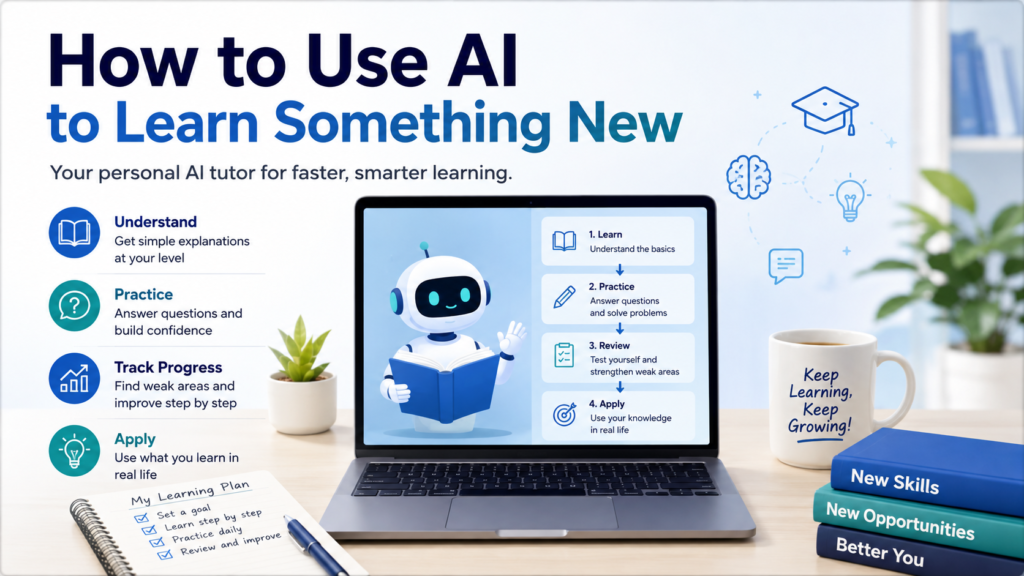
Learning something new can be exciting at first—and overwhelming a few minutes later.
You may open an article, watch a video, or ask an AI tool a question only to discover unfamiliar vocabulary, missing background knowledge, and dozens of related concepts you apparently need to understand first.
AI can make that starting point much easier.
Learning how to use AI to learn something new can help you break complicated topics into smaller pieces, get explanations at the right level, create examples, practice what you have learned, test your understanding, and identify areas that still need work.
But there is an important difference between getting an answer from AI and actually learning something.
The goal is not to have AI do the thinking for you. The goal is to use AI to help you understand, practice, question, recall, and eventually apply the knowledge yourself.
Why Use AI to Learn Something New?
Traditional learning resources usually present information in one fixed way.
AI can respond to what you need at that moment.
| Learning Need | How AI Can Help |
|---|---|
| You do not know where to begin | Create a learning roadmap |
| Topic feels overwhelming | Break it into smaller concepts |
| Explanation is too difficult | Explain it more simply |
| Concept feels abstract | Give examples and analogies |
| You have questions | Provide targeted explanations |
| You need practice | Create practice exercises |
| You think you understand | Test your understanding |
| You keep making mistakes | Identify weak areas |
| You forget earlier material | Create review questions |
| You want practical experience | Suggest an application exercise |
This interactive approach is also reflected in current AI learning tools. ChatGPT’s Study Mode, for example, is designed to guide learners with questions, explain concepts in layers, and check understanding rather than simply providing a final answer.
Step 1: Define Exactly What You Want to Learn
Avoid beginning with an enormous subject.
For example:
Teach me photography.
Photography includes exposure, lighting, lenses, composition, editing, portrait photography, landscape photography, and much more.
Give AI a more specific goal:
I am a beginner photographer. I want to understand how aperture, shutter speed, and ISO work together so I can use manual camera settings.
Now AI has a manageable learning target.
Sample Prompt:
I want to learn [TOPIC]. My current level is [BEGINNER / INTERMEDIATE / ADVANCED]. My goal is [SPECIFIC GOAL]. Help me define what I need to understand first. Do not teach everything at once.
A clear learning goal makes the rest of the process much more useful.
Step 2: Tell AI What You Already Know
Two people learning the same topic may need completely different explanations.
Suppose you want to learn basic investing.
One person may know nothing about stocks.
Another may already understand stocks and bonds but not diversification.
Tell AI:
I want to learn about diversification. I already understand what stocks, bonds, and investment funds are, but I do not understand why holding different investments can reduce risk.
This prevents AI from spending too much time explaining things you already understand.
If you are unsure about your current level, ask AI to check.
Sample Prompt:
Before teaching me [TOPIC], ask me five short questions to estimate what I already understand. Ask one question at a time. Do not begin the lesson until you have finished the assessment.
The goal is not to receive a grade.
It is to find the right starting point.
Step 3: Ask AI to Create a Learning Roadmap
A new topic often feels difficult because you do not know how the pieces fit together.
Ask AI to create a simple roadmap.
For example:
I want to learn basic photography. Create a beginner learning roadmap with the most important concepts in a logical order. Keep it to 6–8 stages and explain briefly why each stage comes before the next.
The result might look like:
| Stage | What to Learn |
|---|---|
| 1 | Basic camera controls |
| 2 | Aperture |
| 3 | Shutter speed |
| 4 | ISO |
| 5 | Exposure triangle |
| 6 | Focus |
| 7 | Composition |
| 8 | Practical shooting exercises |
A roadmap gives you direction without forcing you to learn everything immediately.
Step 4: Learn One Concept at a Time
Once you have a roadmap, resist the temptation to ask AI for one enormous explanation.
Instead:
Teach me Stage 1 only. Explain the main idea in simple language and stop before moving to Stage 2.
Then ask questions about that concept.
When you understand it, continue.
This creates a useful pattern:
Learn → Question → Practice → Check → Continue
AI becomes more useful when the conversation responds to your understanding rather than dumping information onto the screen.
Step 5: Ask for a Simpler Explanation
If an explanation does not make sense, do not simply reread it five times.
Tell AI what is confusing.
Try:
Explain this in simpler language.
Or:
I understand [PART A], but I do not understand why [PART B] happens. Explain only that connection.
Or:
Explain this as if I have never studied the subject before. Avoid technical terminology until you define it.
You can also ask AI to explain the same concept at several levels:
Explain [CONCEPT] in three levels:
- One-sentence explanation
- Beginner explanation
- More detailed explanation
This lets you build understanding gradually.
Step 6: Ask for an Everyday Example
Abstract explanations often become easier when connected to something familiar.
Suppose you are learning computer memory.
You could ask:
Explain the difference between RAM and storage using an everyday example. Then explain where the analogy stops being accurate.
That final instruction matters.
Analogies simplify reality, so they are rarely perfect.
You can use the same approach with many topics:
Give me a real-world example of this concept.
Show me a simple situation where this would matter.
Give me one example and one non-example.
Compare this concept with something I already understand.
AI is especially useful because you can keep asking for different examples until one makes sense.
Step 7: Ask Questions Without Feeling Embarrassed
One advantage of learning with AI is that you can ask very basic questions repeatedly.
You can say:
I still don’t understand.
What does that word mean?
Why does that happen?
Can you explain the previous step again?
What am I missing?
Give me another example.
There is no need to pretend you understand something when you do not.
If you struggle to get the explanation you need, learning how to ask AI better questions can make the interaction more useful. Specific questions usually produce more focused explanations than broad requests.
Step 8: Ask AI to Check Your Understanding
Reading an explanation can create the feeling that you understand something.
That feeling may disappear when you try to explain the concept yourself.
So stop reading and test yourself.
Sample Prompt:
I just studied [CONCEPT]. Do not explain it again yet. Ask me three questions to check whether I really understand it. Ask one question at a time and wait for my answer.
After you answer:
Evaluate my answer. Tell me what I understood correctly, what is incomplete, and what I should review. Do not move to the next topic yet.
This changes AI from an answer generator into a practice partner.
OpenAI’s Study Mode uses a similar approach by asking open-ended questions, providing feedback, and helping learners correct misunderstandings as they work through a topic.
Step 9: Explain the Concept Back to AI
One of the best ways to discover whether you understand something is to explain it yourself.
After studying, close or ignore the explanation and write:
Here is my explanation of [CONCEPT] in my own words:
[YOUR EXPLANATION]
Check whether my explanation is accurate. Identify anything important that I misunderstood or left out. Do not rewrite it completely unless necessary.
This forces you to retrieve the information instead of merely recognizing it.
You may discover that you understood 80% of the concept but missed one important connection.
That missing 20% becomes your next learning target.
Step 10: Generate Practice Questions
Once you understand the basics, practice.
Ask:
Create five practice questions about [TOPIC], starting easy and becoming more difficult. Do not show the answers yet.
Answer them yourself.
Then:
Here are my answers. Check each one. Explain why any incorrect answer is wrong and give me one similar question to try again.
You can also specify the type of practice:
- Multiple choice
- Short answer
- Scenario
- Calculation
- True/false with explanation
- Practical problem
- Vocabulary
- Comparison
The best format depends on what you are learning.
Step 11: Ask AI to Increase the Difficulty Gradually
If every practice question is easy, you may mistake familiarity for mastery.
Ask:
Give me one beginner question. If I answer correctly, make the next question slightly harder. If I answer incorrectly, explain the gap and give me another question at approximately the same level.
This creates an adaptive practice session.
You can stop when the questions become difficult enough to expose gaps in your understanding.
That is useful information.
Difficulty tells you what to study next.
Step 12: Ask AI to Identify Your Weak Areas
After several questions, ask AI to look for patterns.
For example:
Based on my answers in this session, identify:
- What I understand well
- What I partly understand
- What I repeatedly misunderstand
- What I should review next
Base your assessment only on my answers in this conversation.
This is better than asking:
Am I good at this?
You want evidence from your actual performance.
Khan Academy’s current work on AI tutoring similarly emphasizes using a learner’s recent attempts and demonstrated skill information to improve tutoring support, while continuing to treat practice as fundamental to learning.
Step 13: Turn Mistakes Into Mini-Lessons
Do not treat a wrong answer as the end of a practice question.
Use it to discover what went wrong.
Ask:
I got this question wrong. Do not simply give me the correct answer. Identify the concept I misunderstood and give me a short mini-lesson followed by a similar problem.
Or:
Compare my reasoning with the correct reasoning and show me the exact point where they separate.
This makes mistakes useful.
You are no longer simply collecting correct answers.
You are improving the reasoning that produces them.
Step 14: Ask for a Quiz Without Answers
When you feel comfortable with the topic, create a short test.
Sample Prompt:
Create a 10-question quiz on [TOPIC].
Include:
- 3 basic questions
- 4 intermediate questions
- 3 application questions
Do not show the answers. Let me complete the entire quiz first. Then grade my responses, explain my mistakes, and recommend what I should review.
This creates a clearer separation between learning mode and testing mode.
If AI reveals answers immediately, you lose some of the value of retrieval practice.
Step 15: Create a Review Session
Learning once is not the same as remembering.
After finishing a topic, ask AI to create a future review.
For example:
Create a 15-minute review session for this topic. Include:
- Five quick recall questions
- Two questions about concepts I struggled with
- One application problem
- One question asking me to explain the main idea in my own words
Save the review and return to it later.
You can also ask AI to create flashcard-style questions, but try to answer before revealing the response.
Step 16: Connect New Knowledge to Something You Already Know
Learning becomes easier when new ideas connect with existing knowledge.
Ask:
I understand [FAMILIAR CONCEPT]. Help me connect it to [NEW CONCEPT]. Explain similarities first, then important differences.
Or:
Give me three connections between this new concept and topics I already learned earlier in this conversation.
This helps turn isolated facts into a larger mental structure.
Step 17: Apply What You Learned to a Small Project
Eventually, stop studying and use the knowledge.
If you are learning photography:
Give me a 30-minute photography exercise that requires me to use aperture, shutter speed, and ISO intentionally.
If you are learning spreadsheets:
Give me a small realistic dataset and a beginner challenge that requires sorting, filtering, and using a basic formula.
If you are learning writing:
Give me a short writing assignment where I need to apply the three principles we just studied.
A practical challenge reveals whether you can use the knowledge without AI doing the work for you.
Step 18: Ask AI for Feedback, Not a Replacement
When you complete an exercise, resist asking AI to replace your work immediately.
Instead of:
Rewrite this correctly.
try:
Review my work. Identify the two strongest parts and the two areas that need the most improvement. Explain why. Let me revise it myself before you provide a complete alternative.
This preserves the learning opportunity.
AI can point toward the problem while you do the actual correction.
Khan Academy describes its AI tutoring approach in a similar way: Khanmigo is intended to support learners with hints, questions, and explanations while encouraging independent thinking rather than simply doing the work for them.
Step 19: Verify Important Information
AI can explain something confidently and still be wrong.
This is especially important when learning:
- History
- Science
- Current events
- Health topics
- Financial topics
- Legal topics
- Technical specifications
- Statistics
- Anything involving exact dates or numbers
Do not assume that a clear explanation is automatically accurate.
Ask:
Identify the factual claims in this explanation that I should verify using reliable sources.
Then verify important claims using textbooks, official documentation, academic sources, government resources, or other authoritative references appropriate to the topic.
How to Check If an AI Answer Is Accurate provides a broader process for checking AI-generated information before relying on it.
Khan Academy also advises learners to think critically about AI-generated responses because AI tools can produce mistakes, incomplete information, or misleading outputs.
Step 20: Ask for Sources When the Topic Requires Them
For factual or research-based learning, ask AI where the information comes from.
For example:
Recommend reliable primary or authoritative sources where I can verify and continue learning about this topic. Explain what each source is useful for.
Do not rely only on the titles or links AI provides.
Open the sources and confirm that they actually support the claims.
For a more complete approach, How to Ask AI for Reliable Sources explains how to request, evaluate, and verify sources instead of accepting citations automatically.
Step 21: Do Not Let AI Replace Productive Struggle
AI can make learning so convenient that you stop doing the difficult part yourself.
Imagine solving a problem.
You struggle for 30 seconds and immediately ask AI for the solution.
You understand the explanation.
Then you move on.
That may feel productive, but you never practiced solving the problem yourself.
Try a different rule:
Give me a hint, not the answer.
Then:
Give me one more hint.
Only ask for the complete explanation when you genuinely need it.
Khan Academy’s recent discussion of AI tutoring emphasizes that practice remains central to learning and that AI tutoring should help students continue when they are stuck rather than replace practice or teachers.
Step 22: Build a Personal Learning Loop
You can combine everything into one repeatable process.
| Stage | What You Do |
|---|---|
| 1. Goal | Decide what you want to learn |
| 2. Baseline | Check what you already know |
| 3. Roadmap | Break the topic into stages |
| 4. Learn | Study one concept |
| 5. Clarify | Ask questions and request examples |
| 6. Recall | Explain it yourself |
| 7. Practice | Answer questions or solve problems |
| 8. Feedback | Review mistakes |
| 9. Verify | Check important factual information |
| 10. Apply | Use the knowledge |
| 11. Review | Return later and test yourself again |
The loop matters more than any individual prompt.
AI helps at each stage, but you remain the learner.
A Reusable AI Learning Prompt
Use this template when beginning a new subject:
I want to learn [TOPIC].
My current level:
[BEGINNER / INTERMEDIATE / ADVANCED]What I already know:
[DESCRIBE WHAT YOU KNOW]My goal:
[WHAT YOU WANT TO BE ABLE TO UNDERSTAND OR DO]Time available:
[OPTIONAL]Please:
- Identify the most important concepts I need to learn.
- Put them in a logical learning order.
- Start with the first concept only.
- Explain it in beginner-friendly language.
- Give me one practical example.
- Ask me a question to check my understanding.
- Wait for my answer before continuing.
- If I am wrong, explain the gap and let me try again.
- Gradually increase the difficulty as I improve.
- Clearly tell me when factual information should be verified with an authoritative source.
Do not simply give me all the answers. Help me understand and practice the material.
This prompt changes the interaction from a one-time explanation into a learning process.
Before and After: Learning With AI
Suppose you want to learn how compound interest works.
Less Effective Approach
Explain compound interest.
AI provides a detailed explanation.
You read it.
You think you understand.
You move on.
Better Learning Approach
Start with:
I am a beginner. I understand basic percentages but not compound interest. Explain the basic idea using one simple example. Then ask me one question to check whether I understood it.
After answering:
Do not move on yet. Give me a slightly different example that I need to solve myself.
Then:
Here is my answer and reasoning. Tell me where my reasoning is correct or incorrect without immediately replacing it with your solution.
Then:
Give me a harder problem.
Finally:
Ask me to explain compound interest in my own words without using an example.
The second approach requires more participation.
That is exactly the point.
Common Mistakes When Using AI to Learn Something New
| Common Mistake | Better Approach |
|---|---|
| Asking AI to teach an enormous topic at once | Break learning into stages |
| Reading explanations without practicing | Test yourself |
| Asking for answers immediately | Ask for hints first |
| Moving on after one correct answer | Increase difficulty gradually |
| Using AI explanations as the only source | Verify important facts |
| Asking only easy questions | Practice application and reasoning |
| Letting AI rewrite every mistake | Revise your own work |
| Ignoring previous weaknesses | Create targeted review |
| Learning without applying | Complete a small practical challenge |
| Confusing familiarity with mastery | Explain concepts without looking |
Use AI as a Tutor, Not Just an Answer Machine
A useful AI learning session should contain more than explanations.
You should be doing things:
Predicting.
Answering.
Explaining.
Practicing.
Making mistakes.
Correcting mistakes.
Applying knowledge.
Checking sources.
That is much closer to learning than repeatedly asking AI to summarize information for you.
Khan Academy’s AI learning guidance describes Khanmigo as an AI-powered tutor designed to support learning through guided interaction, and its student materials include how to communicate with the tutor, get help with exercises, and think carefully about relying on AI-generated information.
What I Learned Using AI to Improve My Photography
I had never studied photography, but I often felt that the photos I took did not look as good as I wanted them to. I knew very little about composition, lighting, or how to approach different subjects, so I decided to use AI to learn some of the basics.
I asked AI how to photograph different types of subjects and scenery, how to think about composition, and how changing my position or angle could affect a photo. For someone starting without much photography knowledge, these explanations helped me understand things I had never really thought about when taking a picture.
But I also learned that understanding photography and actually taking a good photo are two different things. AI can explain composition, lighting, angles, and photography techniques, but it cannot see exactly what I am seeing through my own eyes at that moment or develop my sense of timing and composition for me.
I still have to look at the scene, notice the light, decide where to stand, choose an angle, and practice until those decisions begin to feel more natural. That part comes from experience.
For me, AI was useful because it gave me a starting point and helped me understand photography concepts I had never learned before. But turning that knowledge into better photographs still requires practice, observation, and my own judgment.
Final Takeaway
Learning how to use AI to learn something new can give you something traditional learning resources cannot always provide: an explanation that changes when you ask another question.
Use that advantage.
Start with a specific learning goal and tell AI what you already know. Ask for a roadmap, but learn one concept at a time. Request simpler explanations, examples, and analogies when needed.
Then stop reading and participate.
Explain the concept yourself. Answer questions. Solve problems. Ask for hints before solutions. Let AI identify weak areas and create targeted practice. Apply the knowledge to something practical and return later for review.
Most importantly, verify important factual information rather than assuming AI is always correct.
AI can make explanations faster and learning resources easier to access.
But the real goal is not for AI to know the answer.
The goal is for you to understand it well enough to explain it, practice it, verify it, and eventually use it without AI doing the thinking for you.