
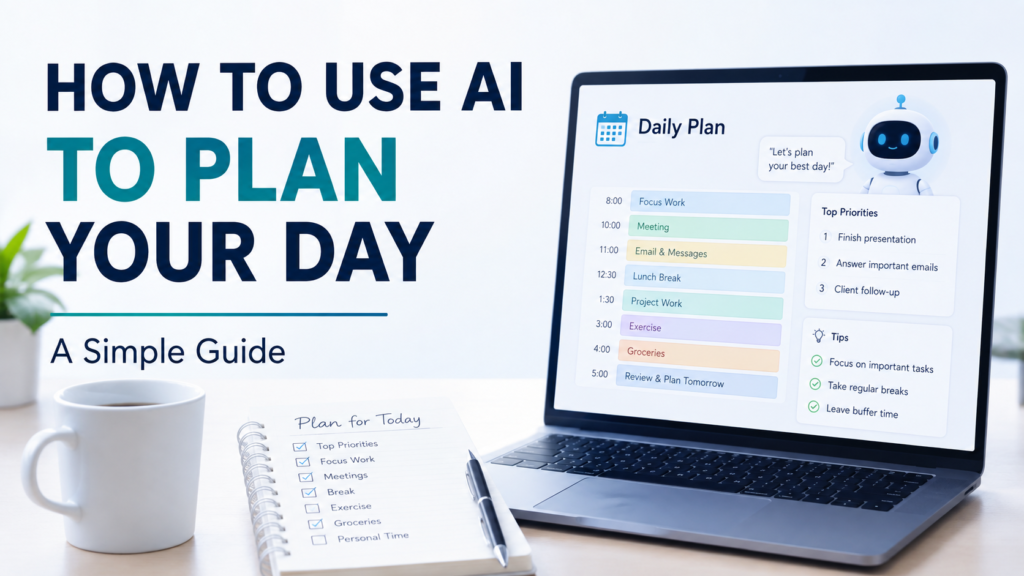
Planning your day sounds simple, but it can quickly become overwhelming when you have work, errands, appointments, personal goals, and unexpected tasks competing for your attention. You may know what you need to do but still struggle to decide what to do first or how much time to spend on each task.
One practical solution is to use AI to plan your day. An AI assistant can help you organize a messy task list, identify priorities, create a realistic schedule, and adjust your plan when things change.
AI does not need to control your schedule or make important decisions for you. Think of it as a planning assistant. You provide your tasks, available time, priorities, and limitations, and AI helps turn that information into a useful daily plan.
Here is a simple way to get started.
Why Use AI to Plan Your Day?
Traditional to-do lists are useful, but they usually tell you only what needs to be done. They do not automatically help you decide when to do each task, which tasks matter most, or whether you are trying to fit too much into one day.
AI can help you think through those questions.
For example, you might give an AI assistant a list like this:
- Answer important emails
- Prepare a presentation
- Buy groceries
- Exercise
- Call the dentist
- Review tomorrow’s meeting notes
Instead of organizing everything yourself, you can ask AI to turn the list into a schedule based on your available time and priorities.
This can be especially helpful when your day feels busy before it has even started.
If you are still learning how to communicate clearly with an AI assistant, understanding How to Write AI Prompts: A Simple Beginner’s Guide can also help you get more useful planning results.
Step 1: Tell AI What You Need to Do
Start by giving AI your tasks for the day.
You do not need to create a perfect list. Write down everything you can think of, even if the list is disorganized.
For example:
I need to prepare a presentation, answer five important emails, buy groceries, exercise for 30 minutes, call the dentist, and review notes for tomorrow’s meeting.
This gives AI the basic information it needs.
However, a task list alone may not be enough to create a good schedule. AI also needs to understand your available time and important constraints.
Step 2: Give AI Your Available Time
Tell AI when your day starts and ends and mention any fixed appointments or commitments.
For example:
I am available from 8:00 a.m. to 6:00 p.m. I have a meeting from 10:00 to 11:00 a.m. and a dentist appointment from 2:00 to 3:00 p.m.
Now the AI has boundaries to work with.
You can also mention breaks, commuting time, meals, school pickups, or anything else that cannot easily be moved.
The more relevant context you provide, the more realistic the schedule can become.
OpenAI’s prompting guidance recommends giving AI clear, specific instructions and enough context so the model can better understand the task and desired result.
Step 3: Tell AI What Matters Most
Not every task has the same importance.
Before asking AI to build your schedule, explain which tasks are urgent, important, optional, or flexible.
For example:
The presentation is my highest priority because it is due today. The emails should be answered before noon. Grocery shopping can happen anytime after 4:00 p.m. Exercise is important, but the exact time is flexible.
This information helps AI avoid creating a schedule that looks organized but does not match your real priorities.
You can also ask AI to categorize your tasks.
Try:
Organize these tasks into high, medium, and low priority. Explain briefly why you placed each task in that category.
Remember that AI does not actually know which responsibilities matter most in your life. You should review its suggestions and make the final decisions yourself.
Step 4: Ask AI to Create a Realistic Daily Schedule
Once AI knows your tasks, available time, fixed commitments, and priorities, ask it to build the schedule.
Here is a useful prompt:
Create a realistic schedule for my day from 8:00 a.m. to 6:00 p.m. Include my fixed appointments, prioritize the presentation and important emails, include a lunch break, and leave some buffer time for unexpected tasks. Do not schedule every minute of the day.
The phrase “realistic schedule” is important.
A schedule that fills every available minute may look productive, but it can become useless as soon as one task takes longer than expected.
Ask AI to include buffer time between demanding tasks or around appointments.
Weak Prompt vs. Better Prompt
The quality of your request can make a noticeable difference.
Weak Prompt
Plan my day.
AI has almost no useful information about your situation.
It may produce a generic schedule that has little connection to what you actually need to accomplish.
Better Prompt
Help me plan my day from 8:00 a.m. to 6:00 p.m. My tasks are preparing a presentation, answering five important emails, buying groceries, exercising for 30 minutes, and reviewing meeting notes. I have a meeting from 10:00 to 11:00 a.m. The presentation is my highest priority and the emails should be completed before noon. Include lunch and at least two short breaks. Leave some buffer time in case a task takes longer than expected.
The second prompt gives AI a much clearer picture of the situation.
This follows a general principle that is useful for many AI tasks: clear instructions, relevant context, and specific constraints usually give the model a better chance of producing a useful response.
Step 5: Ask AI to Estimate Time Carefully
One common planning problem is underestimating how long tasks will take.
AI can help you think about time requirements, but its estimates should not be treated as facts.
For example, you could ask:
Estimate a reasonable amount of time for each task. If you are uncertain, give me a range instead of pretending to know the exact time.
You can then correct the estimates based on your own experience.
Maybe AI suggests 30 minutes for answering emails, but you know it usually takes you an hour. Tell it:
Change the email block to 60 minutes and rebuild the schedule without changing my fixed appointments.
This is one reason AI planning works best as a conversation rather than a one-time command.
Step 6: Ask AI to Break Large Tasks Into Smaller Steps
Large tasks often create procrastination because they are too vague.
“Prepare presentation” may feel difficult because it contains several smaller jobs.
Ask AI:
Break “prepare presentation” into small, actionable steps that I can complete one at a time.
It might suggest a structure such as:
- Review the presentation goal.
- Gather the necessary information.
- Create a simple outline.
- Draft the slides.
- Add visuals or examples.
- Review the presentation.
- Make final corrections.
You can then ask AI to place some of those steps into your daily schedule.
Breaking a large task into smaller actions can make the plan easier to follow and help you see what can realistically be completed today.
Step 7: Match Tasks to Your Energy Level
Your available time is not the only thing that matters. Your energy and concentration can change throughout the day.
If you tend to concentrate better in the morning, tell AI.
For example:
I have the most energy between 8:00 a.m. and noon. Put tasks that require concentration during that period when possible. Schedule easier administrative tasks later in the afternoon.
You can also say:
I usually lose focus after lunch. Avoid putting my most difficult task immediately after lunch.
AI can then organize the schedule around both time and energy instead of simply filling empty spaces.
Step 8: Build Breaks Into the Plan
A useful daily plan should not assume that you can work continuously for hours without stopping.
Tell AI to include breaks.
For example:
Add a 10-minute break after long focus periods and include 45 minutes for lunch.
You can also ask:
Review this schedule and tell me if it looks too crowded. If it does, remove or postpone the lowest-priority tasks.
That second question is especially useful because people often create daily plans based on what they hope they can accomplish rather than what they can realistically finish.
Step 9: Ask AI What Can Wait Until Tomorrow
A good daily plan is not necessarily a plan that completes every task.
Sometimes the best decision is to intentionally postpone something.
If your schedule is overloaded, ask:
I probably cannot finish everything today. Based on the priorities I gave you, which tasks could reasonably move to tomorrow?
Then review the suggestions yourself.
AI can help organize the decision, but you still know important details it may not know, such as deadlines, promises you made to other people, or consequences of delaying a task.
Step 10: Adjust the Plan When Your Day Changes
Even a carefully planned day can change.
A meeting runs long. A customer calls. Your child needs something. A task that should have taken 30 minutes takes 90 minutes.
You do not have to throw away the entire plan.
Give AI an update.
For example:
My meeting ran 45 minutes longer than expected. It is now 11:45 a.m. I still need to finish the presentation and answer the important emails today. Reorganize the rest of my schedule and move lower-priority tasks if necessary.
This is one of the most practical ways to use AI for daily planning.
Instead of manually rebuilding your schedule every time something changes, you can provide the new situation and ask AI to reorganize the remaining tasks.
Using follow-up instructions like this is also why How to Ask AI Better Questions: 10 Simple Tips for Better Answers can be useful when you want to improve an initial AI response instead of starting over.
A Complete Daily Planning Prompt
If you want something you can reuse, try this template:
Help me plan my day.
Available time: [start time] to [end time]
Fixed appointments:
[List appointments and times]Tasks:
[List your tasks]Highest priorities:
[List important tasks]Flexible or optional tasks:
[List lower-priority tasks]Personal preferences:
[Example: I concentrate best in the morning]Create a realistic schedule with breaks and buffer time. Do not fill every minute. Put demanding tasks during my most productive hours when possible. If everything does not fit, tell me which lower-priority tasks could move to another day.
You do not have to use the exact wording every time. Change the template to match your situation.
Practical Example: Turning a Messy List Into a Plan
Imagine you start the morning with this list:
- Finish project proposal
- Answer emails
- Pay two bills
- Exercise
- Grocery shopping
- Call a client
- Read an industry report
- Prepare for tomorrow’s meeting
Your first instinct may be to start with whichever task feels easiest.
Instead, you could tell AI:
I have these eight tasks today. I am available from 8:30 a.m. to 5:30 p.m. The project proposal must be finished by 2:00 p.m., and I need to call the client before noon. Grocery shopping and the industry report can move to tomorrow if necessary. I want a 45-minute lunch and two 10-minute breaks. Create a realistic schedule and leave some buffer time.
Now AI has enough information to do something useful with the list.
You can then review the result and make corrections:
The proposal will probably take three hours, not two. Update the schedule.
Or:
I don’t want to exercise immediately after lunch. Move it later without changing the proposal deadline.
This back-and-forth process is often more useful than trying to create one perfect prompt.
Common Mistakes When Using AI to Plan Your Day
Giving AI Too Little Information
“Plan my day” is usually too vague.
Include your tasks, available hours, fixed commitments, priorities, and important preferences.
Trying to Schedule Too Much
AI may be able to fit ten tasks onto a calendar mathematically, but that does not mean you can realistically complete them.
Ask it to identify tasks that can be postponed.
Forgetting Buffer Time
Unexpected events happen.
A plan without extra space can fall apart after one delay.
Treating AI Time Estimates as Facts
AI does not know exactly how quickly you work.
Use its estimates as starting points and replace them with your own when you have better information.
Following the AI Plan Without Reviewing It
Always check the final schedule.
AI can misunderstand your priorities, overlook a constraint, or suggest an order that does not make sense for you.
If an AI response seems questionable or includes factual information you plan to rely on, How to Check If an AI Answer Is Accurate explains why important AI-generated information should be reviewed rather than accepted automatically.
What Information Should You Avoid Sharing?
Daily schedules can contain personal information, so think carefully about what you put into an AI tool.
You usually do not need to provide confidential business information, passwords, financial account details, private medical information, or other sensitive data just to organize your day.
Instead of entering unnecessary details, use general descriptions when possible.
For example, you may be able to write “medical appointment” instead of describing a private health issue, or “client meeting” instead of entering confidential client information.
Before using any AI service for sensitive tasks, review the service’s privacy and data policies and consider whether the information actually needs to be shared.
Use AI as a Planning Assistant, Not the Decision-Maker
AI is useful for organizing information quickly, but your schedule affects your real life.
You understand your responsibilities, health, family, deadlines, energy, and priorities better than an AI system does.
Use AI to help answer questions such as:
- What could I do first?
- How could these tasks fit into my available time?
- Which tasks could be grouped together?
- Where should I leave extra time?
- What could move to tomorrow?
- How can I reorganize the day after an interruption?
Then make the final decision yourself.
Final Takeaway
Learning how to use AI to plan your day does not require a complicated productivity system.
Start with four things:
Your tasks, your available time, your fixed commitments, and your priorities.
Give that information to AI and ask for a realistic schedule with breaks and buffer time. Review the result, correct anything that does not fit your situation, and use follow-up prompts whenever your plans change.
The goal is not to create a perfectly optimized day.
The goal is to spend less time figuring out what to do next and more time doing the things that actually matter.