
Introduction
Learning how to write AI prompts is one of the easiest ways to get better results from artificial intelligence. You do not need technical knowledge, programming skills, or special vocabulary. In most cases, you simply need to explain clearly what you want the AI to do.
An AI prompt is the question, instruction, or information you give to an AI tool. For example, you might ask AI to explain a difficult topic, improve an email, create a meal plan, organize a trip, or brainstorm ideas.
The quality of your prompt can make a big difference in the quality of the response. A vague question may produce a general answer, while a clear and detailed prompt can produce something much more useful.
In this beginner-friendly guide, you will learn how to write AI prompts step by step, improve weak prompts, use simple prompt examples, and avoid common mistakes.
What Is an AI Prompt?
An AI prompt is simply the information or instruction you give to an artificial intelligence tool.
For example, this is a prompt:
“Explain artificial intelligence in simple language.”
The AI reads your instruction and generates a response based on what you asked.
Prompts can be very short, but they can also include details about what you need, who the answer is for, how long it should be, and what format you want.
For example:
“Explain artificial intelligence in simple language for someone who has never used AI before. Use five short bullet points and include one everyday example.”
The second prompt gives the AI much more direction. As a result, the answer is more likely to match what you actually need.
If AI itself is still unfamiliar to you, start with our beginner guide, What Is AI? A Simple Guide for Beginners, before experimenting with prompts.
Why Good AI Prompts Matter
AI cannot automatically know exactly what you have in mind.
Imagine asking another person:
“Help me write something.”
They would probably need more information. What are you writing? Who will read it? What tone should it have?
AI works in a similar way.
Compare these two prompts:
Weak prompt:
“Write an email.”
Better prompt:
“Write a friendly email to my neighbor thanking her for taking care of my plants while I was away. Keep it warm and under 100 words.”
The second prompt explains the task, audience, tone, and desired length.
You do not need to make every prompt long. The goal is simply to provide enough useful information for the AI to understand what you want.
How to Write AI Prompts in 5 Simple Steps
A simple method can make prompt writing much easier. When you are unsure what to type, use the following five steps.
1. Tell the AI What You Want It to Do
Start with a clear action.
Useful instructions include:
- Explain
- Summarize
- Compare
- Rewrite
- Create
- Brainstorm
- Organize
- Translate
- Suggest
- Make a list
Instead of:
“Healthy meals.”
Try:
“Create a list of five simple healthy dinner ideas.”
The second version tells the AI exactly what action to perform.
2. Give the AI Some Context
Context helps AI understand your situation.
Suppose you ask:
“Plan a trip to New York.”
The AI can answer, but it has very little information.
A better prompt might be:
“Help me plan a three-day first-time trip to New York City for two adults. We enjoy museums, sightseeing, and casual restaurants.”
Now the AI knows the length of the trip, number of travelers, experience level, and interests.
You can add only the details that are relevant to your request.
3. Describe the Result You Want
Tell the AI how you would like the answer presented.
For example:
“Give me the answer in five bullet points.”
Or:
“Create a simple table with the advantages and disadvantages.”
Other useful instructions include:
“Keep the answer under 200 words.”
“Explain it step by step.”
“Use simple English.”
“Give me three options.”
Choosing a format makes long AI responses easier to read and use.
4. Tell the AI Who the Answer Is For
The same topic may need to be explained differently depending on the audience.
For example:
“Explain cloud computing.”
may produce a fairly technical response.
Instead, try:
“Explain cloud computing to a beginner who is not comfortable with technology. Avoid technical terms and use one everyday example.”
You can also specify audiences such as:
- Beginners
- Students
- Parents
- Small business owners
- Travelers
- Older adults
- Customers
This can dramatically change the style and complexity of an AI response.
5. Refine the Answer
Your first prompt does not have to be perfect.
One of the most useful things about AI is that you can continue the conversation.
If the first answer is too complicated, type:
“Explain that in simpler language.”
If it is too long:
“Make the answer shorter.”
If you need examples:
“Give me three real-life examples.”
If you do not like the tone:
“Rewrite this in a warmer and friendlier tone.”
Think of prompting as a conversation rather than a one-time command.
A Simple AI Prompt Formula for Beginners
When learning how to write AI prompts, you can use this simple formula:
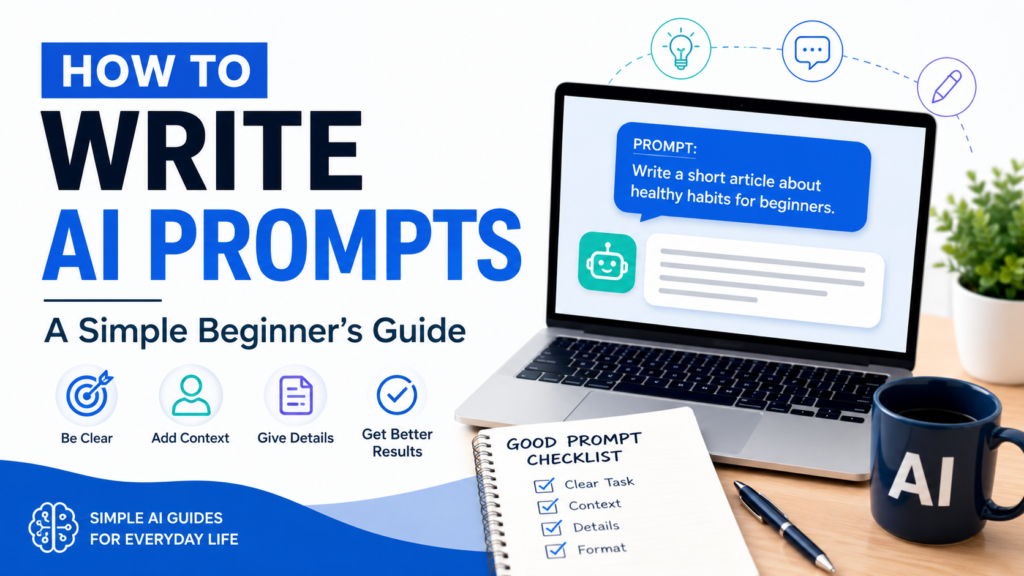
Task + Context + Details + Format
You do not always need all four parts, but they provide an easy starting point.
Here is an example.
Task: Create a meal plan.
Context: I need simple weekday dinners.
Details: Two adults, 30 minutes or less, common grocery-store ingredients.
Format: Make a five-day table with meal names and a shopping list.
Combined prompt:
“Create a five-day weekday dinner plan for two adults. Each meal should take 30 minutes or less and use common grocery-store ingredients. Put the meals in a simple table and include a shopping list.”
That prompt gives the AI enough information to create a much more useful answer.
7 Easy AI Prompt Examples for Everyday Life
You can use AI for many ordinary tasks. Here are several prompts beginners can adapt.
1. Writing an Email
“Help me write a polite email asking to reschedule an appointment from Monday to later in the week. Keep the message friendly and concise.”
You can change the situation, recipient, or tone to match your needs.
2. Planning Meals
“Create five easy dinner ideas for two people using chicken, vegetables, rice, or pasta. Keep preparation time under 30 minutes.”
You could then ask:
“Turn these meals into a grocery list organized by category.”
3. Understanding Something Difficult
“Explain how credit scores work for a complete beginner. Use simple language and give one everyday example.”
For financial, legal, medical, or other important decisions, use AI for general information rather than as your only source, and verify important information with reliable sources or qualified professionals.
4. Planning a Trip
“Create a simple three-day itinerary for a first-time visitor to Chicago. Include major attractions, approximate areas to visit each day, and time for meals.”
Travel information changes, so verify current prices, schedules, closures, and reservation requirements before making plans.
5. Creating a Shopping List
“Create a one-week grocery list for two adults based on simple breakfasts, lunches, and dinners. Organize the list into produce, protein, dairy, pantry, and frozen foods.”
This can save time when preparing for a grocery trip.
6. Learning a New Topic
“Teach me the basics of investing as if I am a complete beginner. Explain five important terms first and avoid unnecessary jargon.”
You can follow up with questions about anything you do not understand.
7. Organizing Your Day
“Help me organize my day. I need to exercise, buy groceries, prepare dinner, answer emails, and spend one hour studying. Create a realistic schedule from 9 a.m. to 6 p.m. and include breaks.”
The more accurately you describe your available time and priorities, the more practical the schedule can become.
How to Improve a Weak AI Prompt
You do not have to learn complicated prompting techniques.
Often, improving a prompt simply means adding one or two useful details.
Consider this weak prompt:
“Give me vacation ideas.”
You could improve it to:
“Suggest five U.S. vacation destinations for a couple who enjoys nature and relaxing activities. The trip will be four days, and we would prefer destinations that do not require an extremely expensive budget.”
You have now added:
- Location
- Number of travelers
- Interests
- Trip length
- Budget preference
- Number of suggestions
The AI has much more useful information to work with.
Common AI Prompt Mistakes Beginners Make
Writing prompts becomes easier with practice, but a few common mistakes can lead to disappointing answers.
Being Too Vague
A prompt such as “Tell me about computers” covers an enormous subject.
Narrow the request:
“Explain the five basic parts of a personal computer to a beginner.”
Asking Too Many Things at Once
A very long prompt containing ten unrelated tasks can make the response difficult to follow.
Instead, complete one main task and then ask follow-up questions.
Providing Too Little Context
If your request depends on your circumstances, provide the information the AI needs.
For example, asking for a weekly schedule without explaining your available hours makes it difficult for the AI to create a practical plan.
Assuming AI Is Always Correct
A well-written prompt can improve an answer, but it cannot guarantee that the information is accurate.
AI systems can sometimes produce outdated, incomplete, or incorrect information. Important facts should be checked against trustworthy sources.
Sharing Sensitive Personal Information
Do not include information such as passwords, Social Security numbers, bank account details, credit card numbers, or other highly sensitive personal information in ordinary AI prompts.
Before submitting a prompt, ask yourself whether the AI actually needs that information. Usually, it does not.
Should You Say “Please” When Writing AI Prompts?
You can, but you do not have to.
AI does not require polite language to understand an instruction.
For example:
“Please summarize this article in five bullet points.”
and
“Summarize this article in five bullet points.”
can both work well.
Use whichever style feels natural to you. Clear instructions matter more than special wording.
Do You Need Special Prompt Commands?
Beginners sometimes believe there are secret phrases that make AI work properly.
For everyday tasks, there usually are not.
You do not need to memorize complicated prompt templates.
Start by clearly describing:
What do I want?
What information does the AI need?
How do I want the answer presented?
That is enough for many everyday situations.
As you become more comfortable, you can experiment with more detailed instructions.
How to Ask AI Better Follow-Up Questions
The conversation does not have to end after the first response.
Follow-up questions are one of the easiest ways to improve an answer.
Useful follow-ups include:
“Can you make this easier to understand?”
“Give me another example.”
“What are the advantages and disadvantages?”
“Turn this into a checklist.”
“Make this more concise.”
“What important information might I be missing?”
This approach can be especially helpful for beginners because you do not have to create a perfect prompt on your first attempt.
A Prompt You Can Reuse
Here is a simple template you can save:
“Help me [TASK]. My situation is [CONTEXT]. Please include [IMPORTANT DETAILS]. Give me the answer as [FORMAT]. Use language appropriate for [AUDIENCE].”
For example:
“Help me create a weekly cleaning schedule. My situation is that I have a three-bedroom home and about 30 minutes each weekday for cleaning. Please include the kitchen, bathrooms, bedrooms, and laundry. Give me the answer as a Monday-to-Friday checklist. Keep it simple for a beginner.”
You can replace the information inside the brackets for many different tasks.
How to Practice Writing AI Prompts
The easiest way to learn is by experimenting.
Choose a simple everyday task such as writing an email or planning dinner.
First, write a basic prompt.
Then look at the AI response and ask yourself:
Was the answer too long?
Was anything missing?
Was the language too complicated?
Did I need a different format?
Then add one instruction and try again.
After a few attempts, you will begin to see which details help AI understand your requests.
If you have never used an AI tool before, our guide How to Use AI for the First Time: A Beginner’s Step-by-Step Guide explains the basic process of getting started.
You can also explore 10 Everyday Ways to Use AI: Simple Examples for Beginners for more ideas about using AI in daily life.
Important: Always Review AI-Generated Information
AI can be extremely useful, but it should not replace your own judgment.
Always review important AI-generated information before using it.
Pay particular attention when the topic involves:
- Health
- Money
- Legal matters
- Safety
- Current news
- Travel requirements
- Important purchases
For high-stakes decisions, consult appropriate qualified professionals or authoritative sources when necessary.
AI is most useful when you treat it as a tool that helps you think, organize, draft, and explore—not as an unquestionable authority.
Frequently Asked Questions About AI Prompts
What is an AI prompt?
An AI prompt is a question, instruction, or piece of information that you give to an AI system to tell it what you want.
Do AI prompts need to be long?
No. A prompt should contain enough information to make your request clear. Simple tasks may need only one sentence, while more complicated tasks may benefit from additional context.
How can beginners write better AI prompts?
Start with a clear task, provide relevant context, add important details, and tell the AI how you want the answer formatted. If the first response is not useful enough, ask a follow-up question.
Can I change an AI answer after it is generated?
Yes. You can ask the AI to shorten, expand, simplify, reorganize, or rewrite its response.
Are AI answers always accurate?
No. AI can make mistakes or provide outdated information. Verify important information using trustworthy sources, especially when making consequential decisions. For more guidance on using AI responsibly, you can review Google’s AI principles.
Is it safe to put personal information in AI prompts?
Avoid entering sensitive information that is not necessary for the task, particularly passwords, financial account information, government identification numbers, and other confidential data.
Final Thoughts
Learning how to write AI prompts does not require technical expertise.
Start by telling the AI exactly what you want. Add relevant context, specify important details, and choose the format you would like to receive. If the first answer is not quite right, refine it with a follow-up question.
A simple prompt can get you started. A clearer prompt can help you get a more useful result.
The best way to improve is to practice with ordinary tasks you already understand. Try asking AI to help draft an email, organize a schedule, explain a topic, or brainstorm dinner ideas.
As you become more comfortable, writing effective prompts will begin to feel less like learning a technical skill and more like simply having a clear conversation.