
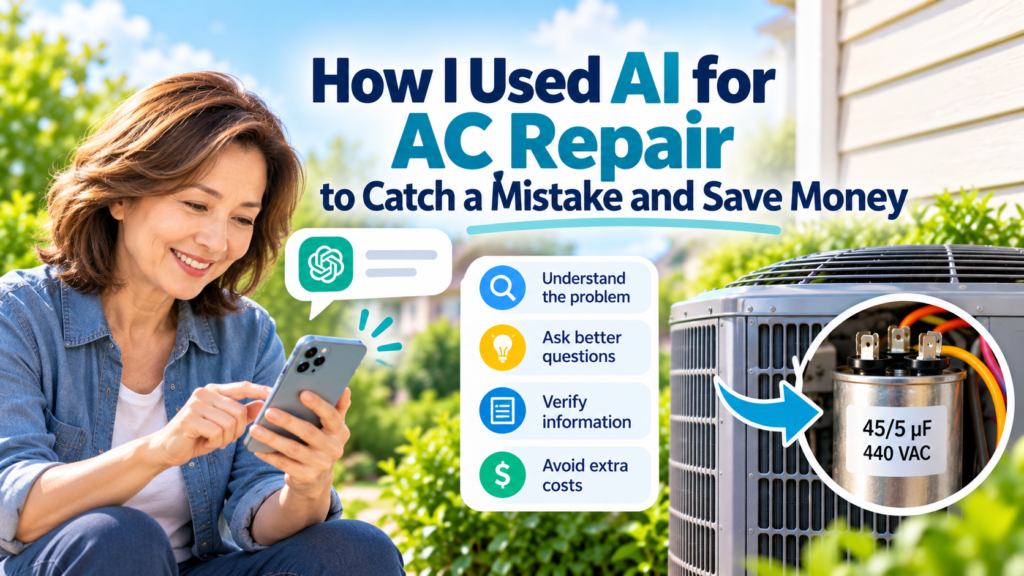
Last Saturday, my central AC stopped cooling. I used AI for AC repair research to understand the symptoms before the technician arrived—and later used it again to question a repair decision that did not look right.
AI did not replace the HVAC professional. It helped me become a better-informed homeowner, ask the right questions, and take action before a potentially incorrect repair became a bigger problem.
Here is exactly what happened.
1. My AC Was Running, but the Air Wasn’t Cold
The first sign of trouble seemed simple.
Air was still coming through the vents, and my thermostat appeared to be working normally.
But the air wasn’t cold.
Living in Florida, that is a problem you want solved quickly.
Before calling for service, I opened Google Gemini and described what I was seeing. I also told it about a similar AC problem I had experienced in the past.
Giving AI specific symptoms and background information can lead to more useful responses, which is one reason learning how to ask AI better questions matters.
Based on the symptoms and my previous experience, Gemini suggested that a capacitor could be one possible cause.
That word immediately sounded familiar.
I had experienced a capacitor problem before.
But AI could not inspect my AC, test electrical components, or confirm the diagnosis. So I treated its response as a possibility to investigate, not a final answer.
Gemini also suggested contacting my home warranty company rather than trying to diagnose or repair the electrical system myself.
That is what I did.
2. I Contacted My Home Warranty Company
I have coverage through Regency, so I reported the AC problem through the warranty company.
This was one of the first ways AI helped me.
Instead of simply saying:
“My AC isn’t working.”
I could describe the problem more specifically.
The thermostat appeared to be working. Air was coming through the vents. The air wasn’t cold. And based on my previous experience, I wanted the capacitor checked as one possible cause.
The warranty company then arranged for an HVAC service visit.
The following afternoon, a technician from Comfort Central in Tampa, Florida arrived. He told me he had about seven years of experience.
I explained the symptoms again.
Then I added one more observation:
The fan on the outdoor AC unit was not running.
That became an important detail.
3. The First Diagnosis Was a Bad Motor
The technician said he would inspect the outdoor unit first.
After checking it, he told me the motor was bad and needed to be replaced.
At that point, I could easily have said:
“Okay. Replace it.”
After all, he was the technician.
But something bothered me.
The symptoms reminded me too much of the capacitor problem I had experienced before.
And because I had already discussed the situation with AI, I knew there was at least another reasonable question to ask.
So I asked him to check the capacitor again.
I mentioned that I had experienced similar symptoms before and that the capacitor had been the problem.
I did not tell him how to repair the system.
I simply asked:
Could you please check the capacitor before we conclude that the motor needs replacement?
He checked again.
The diagnosis changed.
The motor was not the problem. The capacitor was.
That was the first moment when having some background information made a real difference.
4. Then I Noticed Something Else
The technician spoke with his supervisor and prepared to replace the failed capacitor.
The capacitor my system required was:
45/5 µF — 440 VAC
But he did not have that exact capacitor with him.
Instead, a:
55/5 µF
capacitor was installed.
I am not an HVAC technician, so I did not want to assume that the substitution was wrong.
But I did something that has become increasingly useful whenever I am dealing with a repair:
I took a picture.
Then I went back to Gemini.
I explained what had happened and provided the capacitor information.
I still did not want to assume the AI response was correct, so this was a situation where knowing how to check if an AI answer is accurate became especially important.
The answer raised concerns about using a capacitor with a different capacitance rating and the possible effects on the AC system.
That was enough for me to stop and ask another question.
5. I Asked for the Correct Part
I immediately contacted the appropriate people and asked that the correct capacitor specification be used.
The issue was eventually addressed with the proper part.
That decision was not based solely on trusting an AI answer.
It was based on using AI to recognize that I needed to question and verify the substitution before accepting it.
That distinction matters.
Carrier’s AC capacitor guidance supports being careful here. Carrier states that replacement requires matching the appropriate microfarad and voltage specifications for the equipment and warns that an incorrect rating can damage the system or potentially affect warranty coverage.
In other words, the important lesson was not:
“AI knew more than the technician.”
It was:
“AI helped me notice something worth questioning before I accepted the repair.”
6. How I Used AI for AC Repair
Looking back, AI helped at several different points.
| What Happened | How AI Helped |
|---|---|
| AC stopped cooling | Helped me organize the symptoms |
| Possible causes were unclear | Suggested questions and possibilities to investigate |
| Warranty claim | Helped me describe the problem more clearly |
| Motor was initially blamed | My prior AI conversation reminded me to ask about the capacitor |
| Different capacitor was installed | Helped me recognize that the specification needed verification |
| Repair decision | Gave me enough context to ask for the correct part |
| Costs | Helped me avoid simply accepting potentially unnecessary work |
This is the kind of everyday AI use that I think is often overlooked.
I did not need AI to repair my air conditioner.
I needed it to help me understand what was happening well enough to communicate with the people who could repair it.
7. AI Can Help You Ask Better Questions
Before AI, many homeowners faced a simple problem.
A professional tells you:
“This part is bad.”
Unless you already know something about the system, what do you ask next?
AI can help generate those questions.
For example:
My central AC is running and air is coming from the vents, but it is not cooling.
The thermostat appears to work normally, and the outdoor fan is not spinning.
I am calling a professional HVAC technician.
What information should I give the technician, and what questions should I ask?
Do not tell me how to perform electrical repairs myself.
Notice what this prompt does not ask:
Tell me how to fix my AC.
That difference is important.
You are using AI to prepare for a professional service call—not to turn yourself into an HVAC technician.
8. Use Photos and Exact Part Numbers When Something Doesn’t Look Right
My second Gemini conversation was more useful because I had specific information.
Instead of asking:
Is this capacitor okay?
I could provide the actual specification.
Original requirement: 45/5 µF / 440 VAC
Installed part: 55/5 µF
Specific numbers make verification much easier.
When the answer matters, you can also ask AI to show where its information comes from and then check those sources yourself. How to Ask AI for Reliable Sources explains a simple way to do that.
The same principle can apply to many household repairs.
When appropriate, document:
- Model numbers
- Part numbers
- Error codes
- Written estimates
- Photos of replaced parts
- Photos of replacement parts
- Technician’s diagnosis
- Warranty paperwork
- Quoted costs
Then ask AI to help you understand what questions those details raise.
Do not ask it to invent an answer when information is missing.
9. AI Was Also Useful for Controlling Costs
One benefit of using AI for AC repair research was understanding the problem well enough to question costs before approving additional work.
The bigger benefit was avoiding decisions based on incomplete information.
If I had immediately accepted the first diagnosis, the repair process could have gone in a very different direction.
Because I could give my warranty company more specific information about the problem and could question what was happening during the service visit, I was also in a better position to understand what the warranty should cover and what I might otherwise be charged for.
This is where AI can become useful beyond troubleshooting.
For a home repair, you can ask:
Help me review this repair estimate.
Separate the charges into:
- Diagnosis
- Parts
- Labor
- Warranty-covered items
- Items I may have to pay for
- Questions I should ask before approving additional work
Do not assume something is covered unless the warranty document confirms it.
If you have the actual warranty terms, give those terms to AI as well.
That can help you prepare questions before authorizing additional expenses.
10. What AI Should NOT Do
There is an equally important lesson from my experience.
I would not recommend opening an AC electrical compartment and attempting capacitor work simply because an AI chatbot explains how to do it.
Capacitors can retain dangerous electrical charge even after power has been disconnected. Carrier specifically recommends professional replacement because of the potential for serious electrical injury.
AI is much better suited to helping a homeowner:
Observe → Document → Understand → Ask → Verify
rather than:
Diagnose → Open equipment → Replace electrical components yourself.
That boundary matters.
11. My Simple AI Process for Home Repairs
After this experience, this is the process I would use again:
| Step | What I Would Do |
|---|---|
| 1. Observe | Write down exactly what is happening |
| 2. Ask AI | Learn possible explanations and questions to ask |
| 3. Contact the professional | Give clear symptoms instead of guessing |
| 4. Document | Save photos, model numbers, diagnoses, and estimates |
| 5. Question | Ask for clarification when something does not make sense |
| 6. Verify | Check important specifications or warranty terms |
| 7. Decide | Approve the work after I understand what is being done |
AI sits in the middle of this process.
It does not replace the professional at either end.
What I Learned
The biggest lesson from my AC problem was not that AI can diagnose an air conditioner.
It was that AI can help an ordinary homeowner become a much better-informed customer.
Gemini helped me organize the symptoms, recognize a possible capacitor issue, communicate more clearly with my warranty company, question the initial motor diagnosis, and investigate the replacement capacitor before simply accepting it.
And when the situation involved something AI could not physically inspect or safely repair, I still needed an experienced professional.
That combination worked well:
AI for understanding and questions.
A qualified technician for testing and repair.
My own judgment for deciding when something needed another look.
That experience potentially saved me from unnecessary work, additional costs, and a replacement part that did not match the specification I expected.
For me, that is one of the most practical ways AI can help in everyday life.